
Turn completed valet trash routes into payroll-ready totals
Set route rates once, handle day-specific pay and one-off overrides from the schedule, then review, finalize, and export each pay period—without rebuilding the night in a spreadsheet.
Set the pay rule where the work is defined
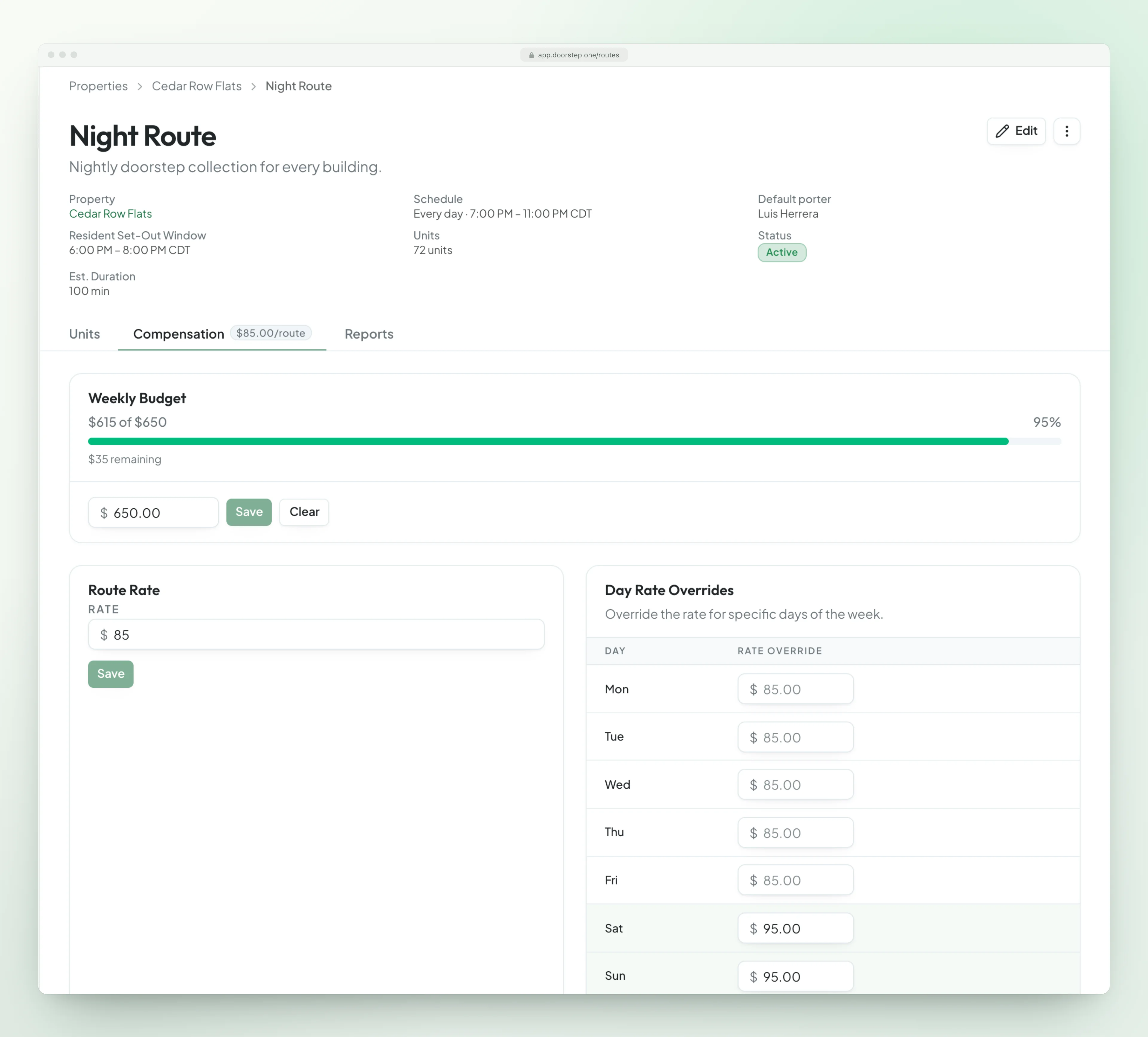
Every route carries its own base rate, optional day-of-week overrides, and weekly budget. Configure compensation beside the route schedule so the pay rule matches the work before the first porter is assigned.
- A clear base rate for each route
- Different rates for specific service days
- Projected spend against a weekly budget
- Missing-rate warnings before payroll
Handle one-night changes from the schedule
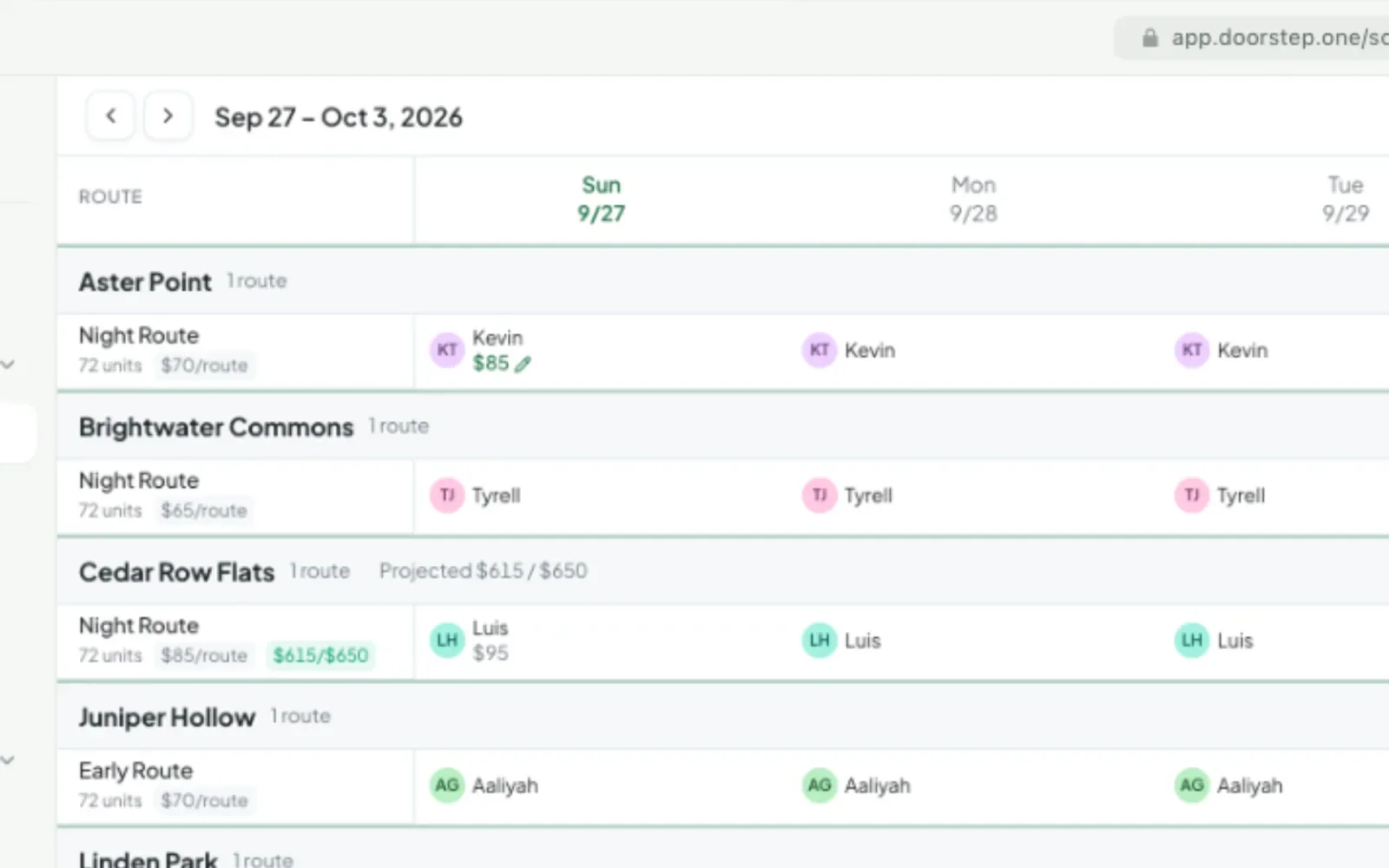
When someone calls out, assign coverage and set a one-night incentive without leaving the schedule. That assignment-level override follows the completed route into payroll and takes priority over the normal route or day rate.
- Weekly staffing across every route
- Fast coverage for last-minute callouts
- One-off custom rates for a single assignment
- Rate context visible while scheduling
Review every dollar before export
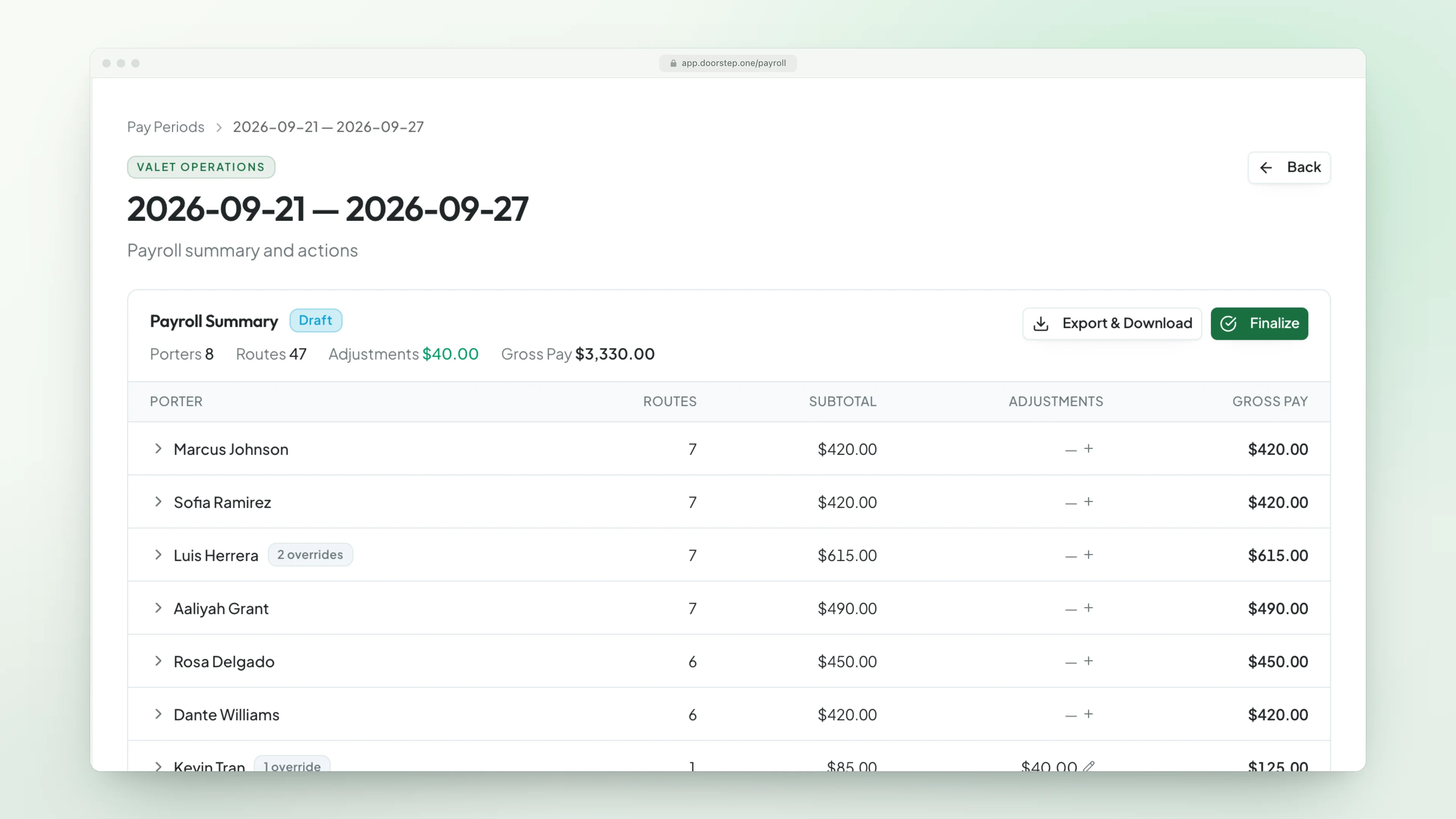
Completed routes roll into a draft pay period with porter totals and route-level detail. Expand any porter, verify the effective rate, add a pay-coded adjustment, then finalize and download a detailed XLSX for your payroll workflow.
- Porter-by-porter route and pay totals
- Base, day, and assignment-rate context
- Bonuses, deductions, and pay-code adjustments
- Draft, finalized, and closed period controls
Team nights split themselves
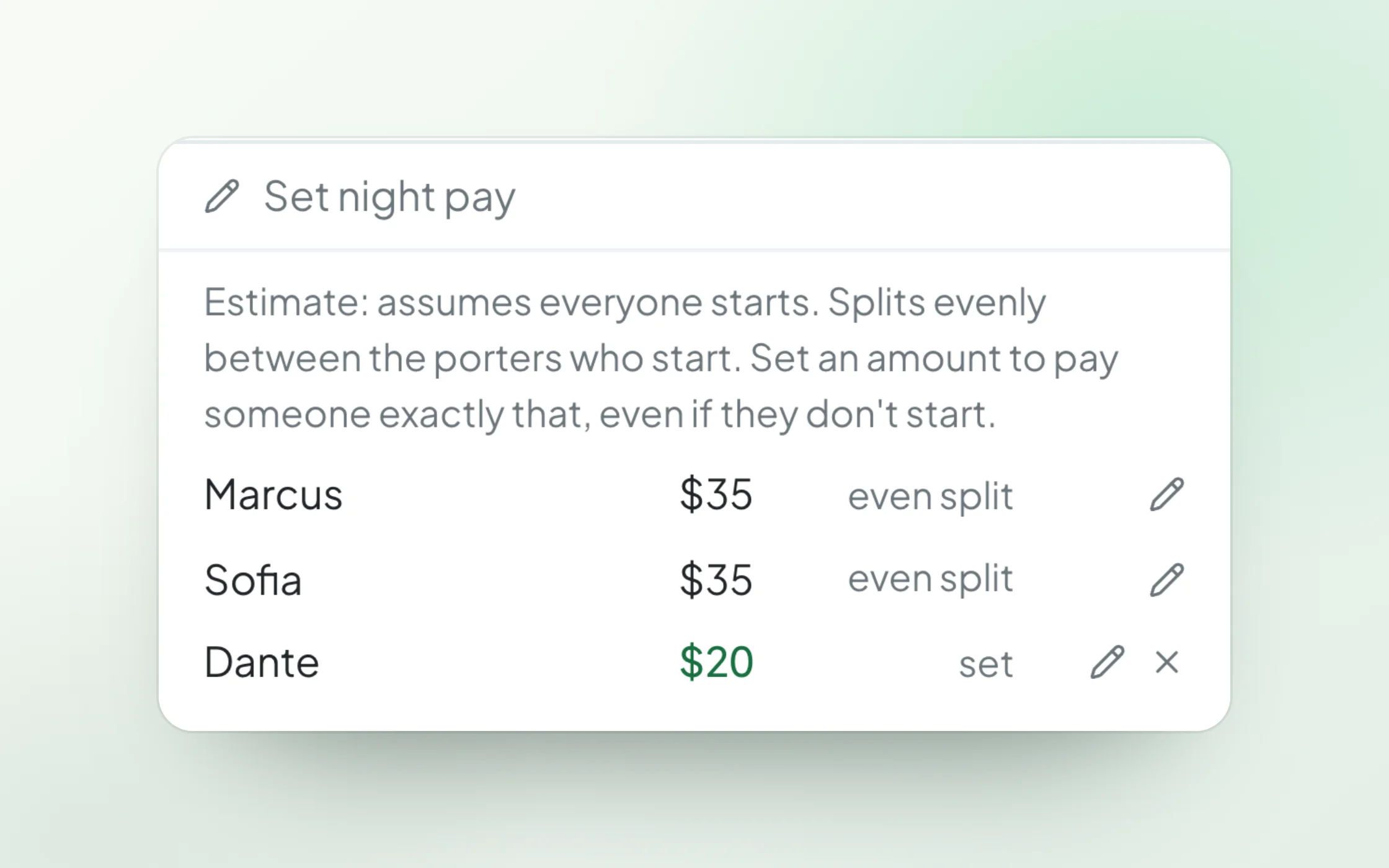
When several porters work one route, night pay splits evenly between the porters who start. Set an exact amount for anyone, like a smaller set amount while a new hire learns, and the rest splits between the others. Each porter’s pay period shows their share and why.
- Even split between the porters who start
- An exact amount for anyone, when you need it
- Each porter’s share explained in the pay period
- A paid cancelled night splits across the scheduled crew
Route pay without the spreadsheet rebuild
Keep compensation connected to the routes, assignments, and completed work that produced it.
Route-Based Rates
Give every route a flat compensation rate that is applied when the assigned work is completed.
Day-of-Week Overrides
Set a different rate for selected service days while leaving the route base rate intact.
One-Off Assignment Rates
Record a special rate for callout coverage, holidays, or another single-night change.
Team Night Splits
Pay for a team night splits between the porters who start, or pay anyone an exact amount.
Cancellation Pay
Pay for a cancelled night when you choose to: a Cancellation Pay line at the route’s rate.
Weekly Budget Visibility
See projected route spend update as base, day-specific, and assignment rates change.
Missing-Rate Warnings
Surface completed assignments with no configured rate before a $0 line reaches export.
Adjustments & Pay Codes
Add documented bonuses or deductions and keep each adjustment tied to a reusable pay code.
Controlled Pay Periods
Review work in draft, finalize approved totals, and close completed payroll periods.
Detailed Excel Export
Download payroll-ready detail with employee IDs, regions, properties, routes, rates, and adjustments.
Porter payroll questions
Pay rules live where the work is defined: route-based rates, day-of-week overrides, and one-off assignment rates for a single night of coverage.
Yes. Review every dollar — with missing-rate warnings, adjustments, and pay codes — before anything is exported.
Yes. Each pay period downloads as a detailed Excel file, with employee IDs so every row matches your payroll provider.
Night pay splits evenly between the porters who start. Set an exact amount for anyone who should be paid differently, like a smaller set amount while a new hire learns, and the others who started split the rest. Each porter’s breakdown shows their share and why.
Yes, when you choose to. Cancelling a night asks whether to pay the porter, and a Cancellation Pay line at the route’s rate goes into the pay period. On a team night it splits across everyone scheduled.
Make route pay the easiest part of payroll
See how Doorstep One turns scheduled and completed routes into totals your team can review and export with confidence.
Or start your free trial now. Your first month is free, and no card is required.