
One night, end to end.
Follow a single service night through Doorstep One — from a last-minute call-out at 4:12 PM to the property manager’s first look at last night the next morning. Every scene below is captured from the real product, with a demo operator's data.
4:12 PM
A last-minute callout is covered in minutes.
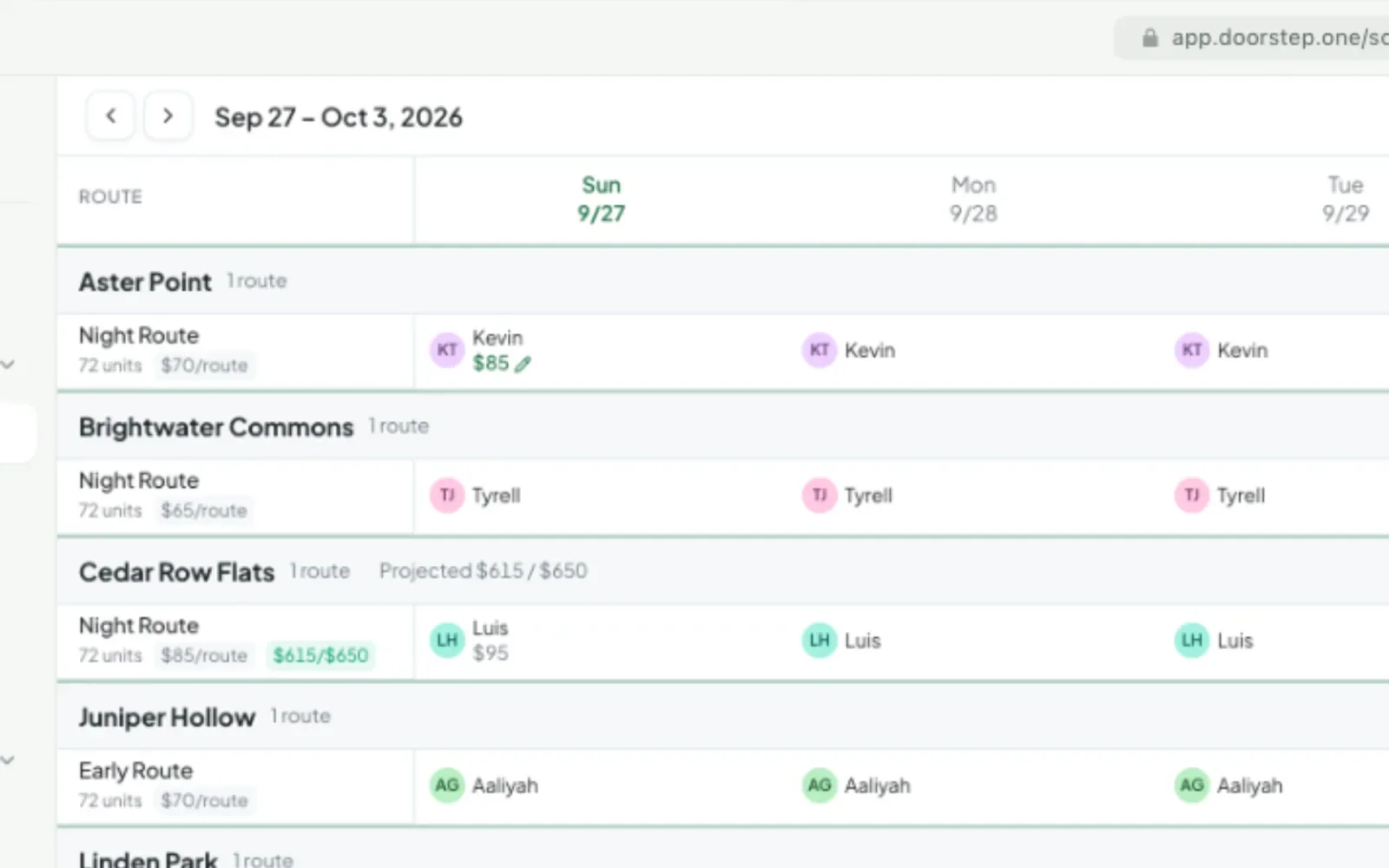
A porter calls out just before service. Operations drags across the schedule to staff several recurring nights at once, then opens tonight’s unstaffed route, assigns an available local porter, and adds a one-night incentive rate. Or add a helper to tonight’s route. It appears in their app right away, even if the route has started. Either way, the night is staffed before residents ever know anything changed.
6:40 PM
The resident gets a heads-up.
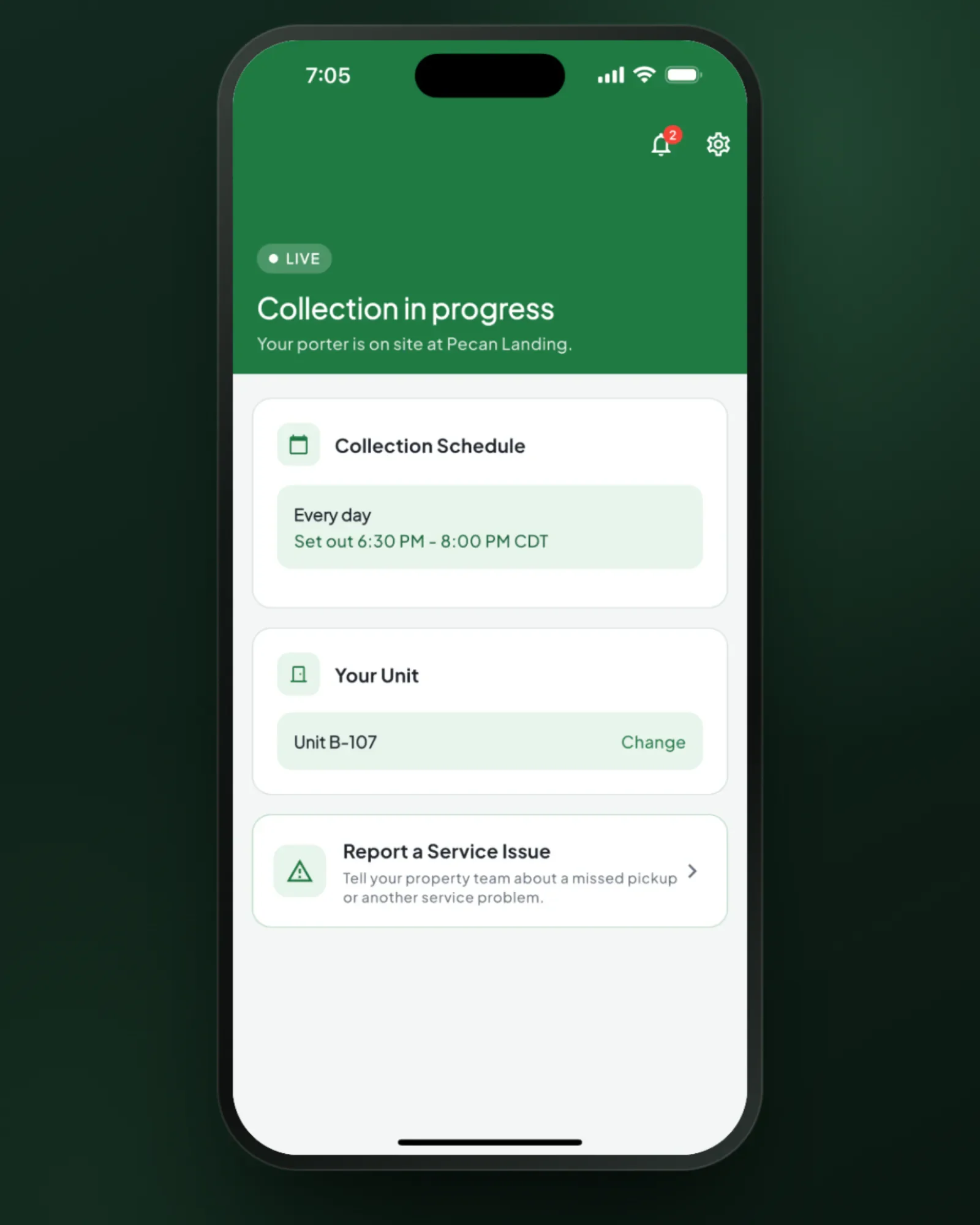
Before a single bag moves, connected residents who turn on reminders get a push when their set-out window opens. When the porter arrives, their home screen turns green. Trash night stops being a mystery, so fewer bags go out late.
7:04 PM
The porter starts the route.
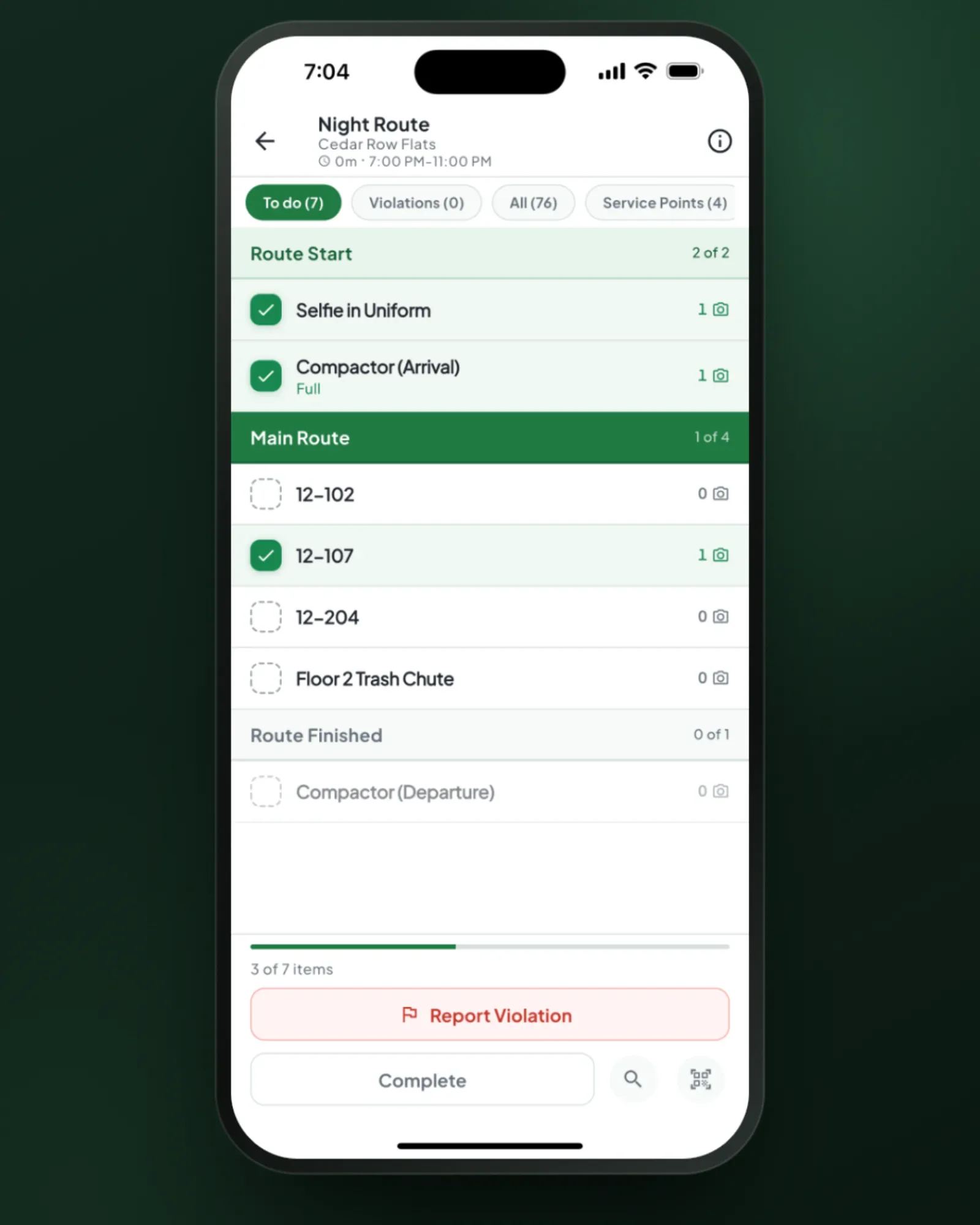
The porter opens one screen: tonight’s route, in English or Spanish. Required units and service points are one tap: open one, take the photo, hit Finished. The rest of the route is serviced without opening the app. If the building has no signal, everything queues on the phone and syncs when a bar comes back.
7:12 PM
The operations team sees the whole night.
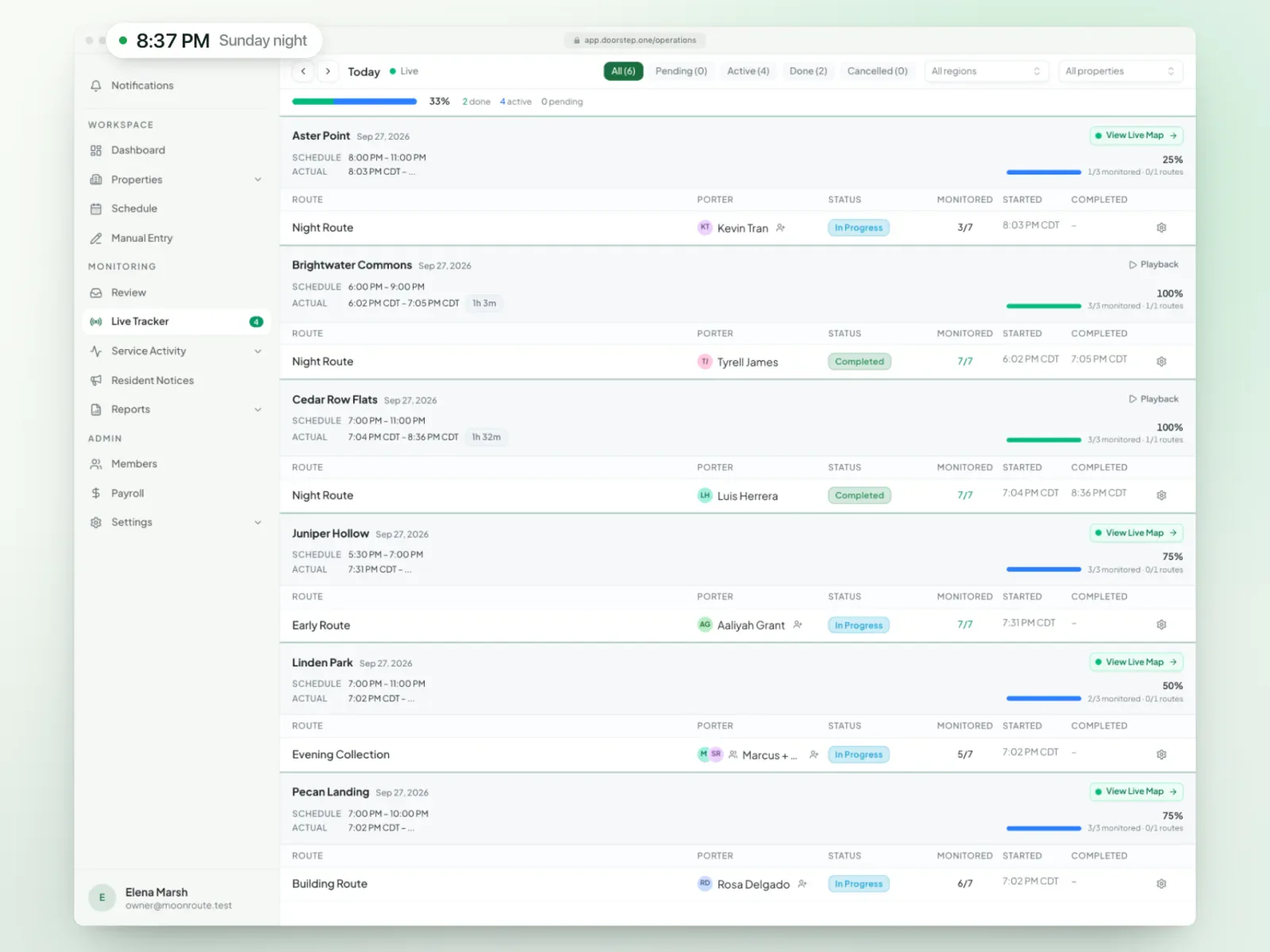
The Live Tracker puts every property, route, and porter on one board — not started, in progress, paused, or complete as the work happens. Supervisors can spot a route that hasn’t started before it becomes a client problem, and access can be scoped so each teammate sees only the regions and properties they’re responsible for. Out in the field, the Monitor tab puts the same night on a supervisor’s phone: open the photos, call the porter, or step into the route without taking it over.
7:20 PM
Every route is live—and replayable.
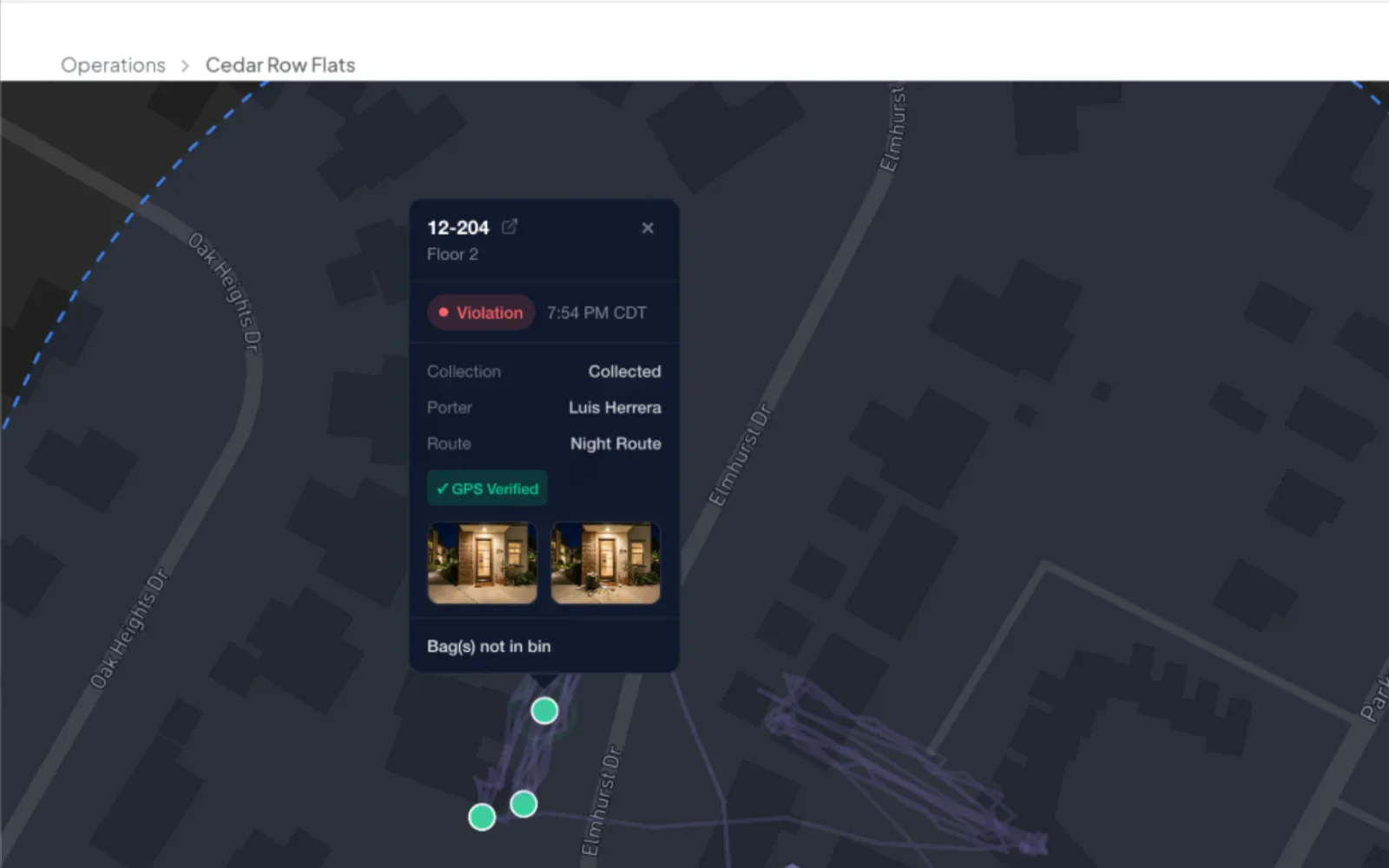
Operations can open any route and watch it unfold like a video: every porter’s trail plays back together, and you can scrub to any moment to see exactly where everyone was, with each photo and violation pinned to the map. Use the live view to coach or step in tonight, then replay any past night for training, quality review, or a definitive answer to a complaint.
7:34 PM
A delay becomes an update — not a complaint.
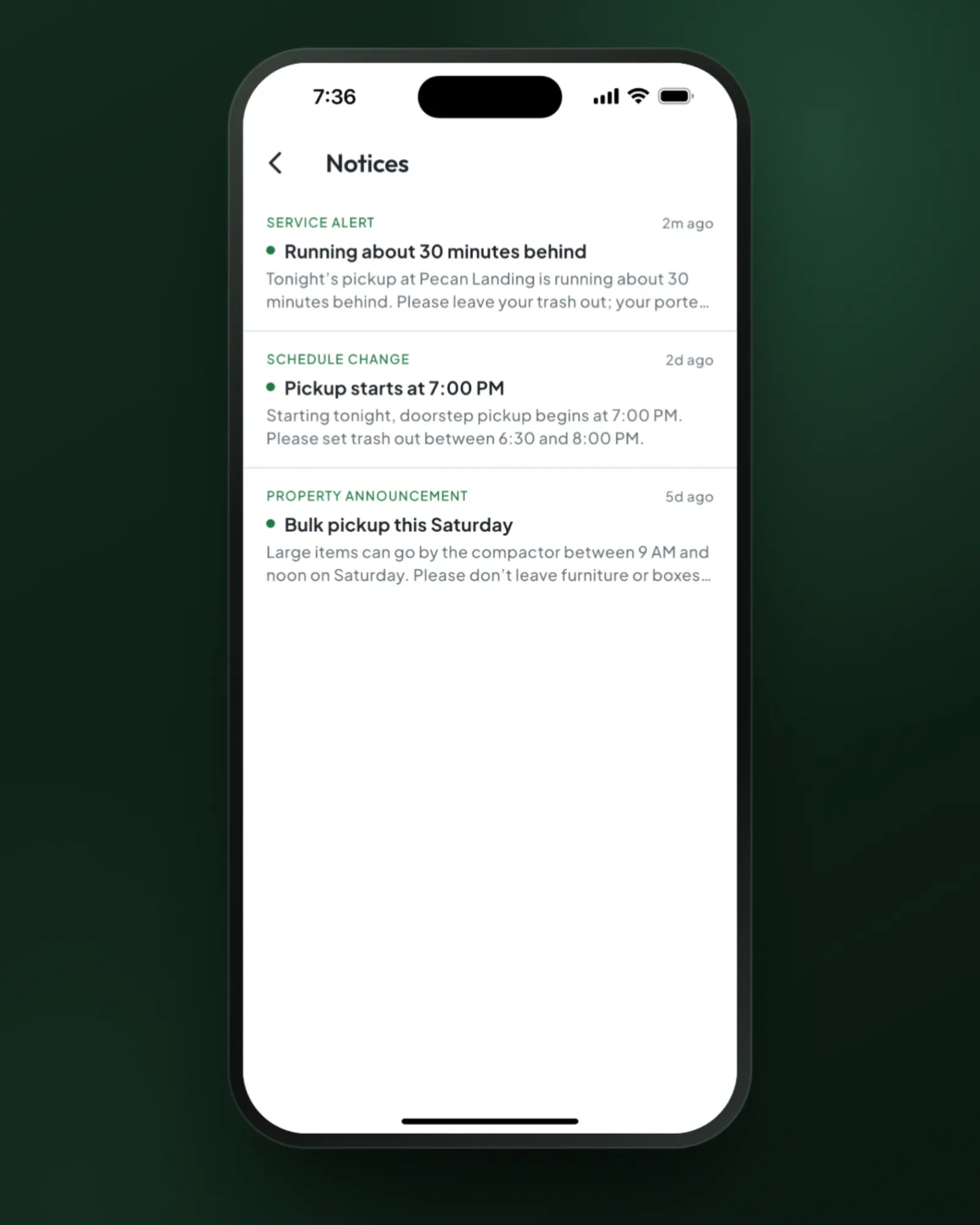
Operations sees that collection is running behind and sends one Service Alert to the affected property. Connected resident devices receive the push, and the complete message stays in the Notices inbox after the lock-screen alert disappears.
7:42 PM
Something’s wrong at 12-204.
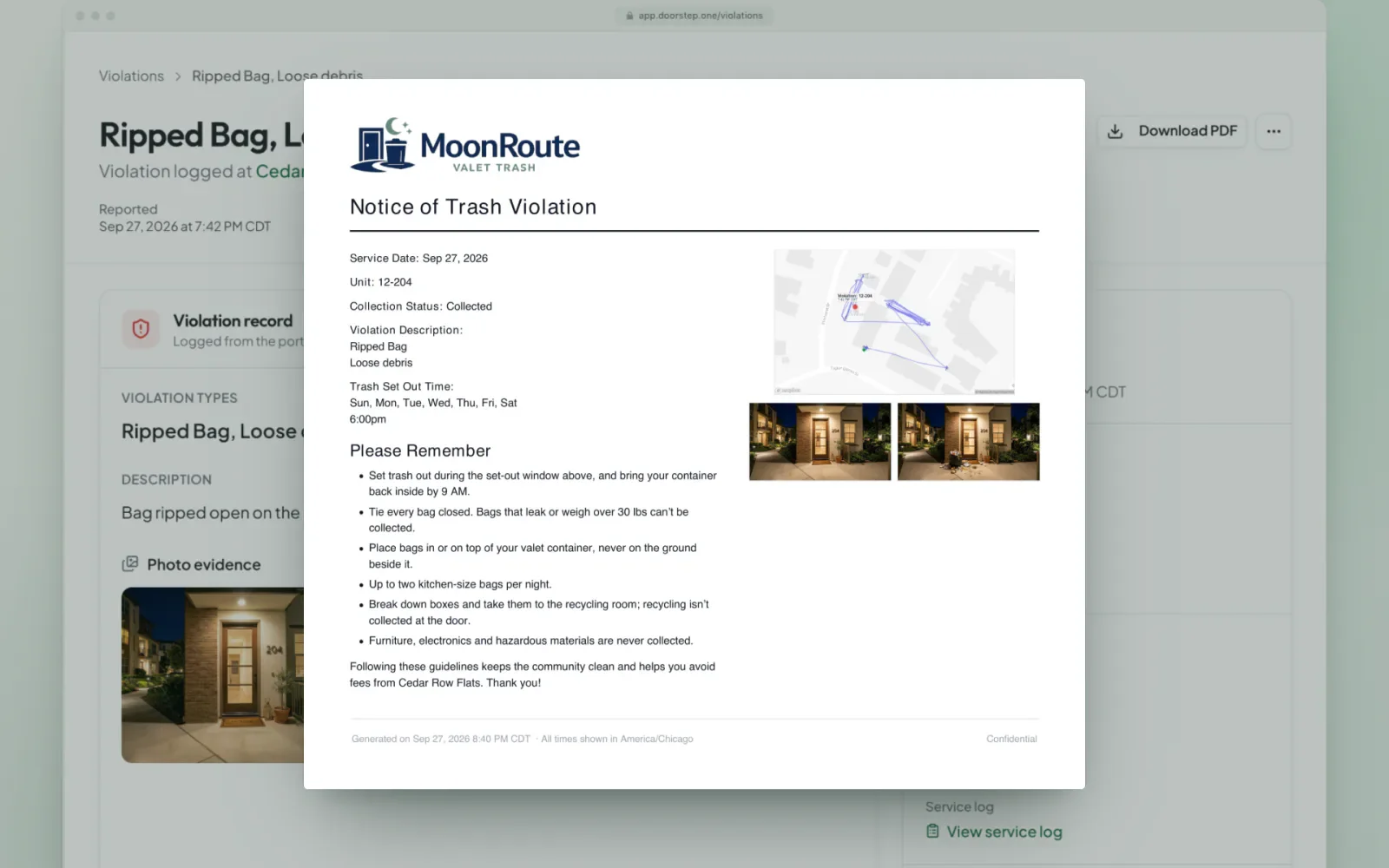
A ripped bag with loose debris outside Unit 12-204. The porter photographs it, taps what happened and why, and moves on. The record keeps the reasons, whether the trash was collected, the unit, the time, where it was logged, and the photos. One click turns it into a branded PDF the property manager can forward to the resident.
11:58 PM
Review the night together, not in turns.
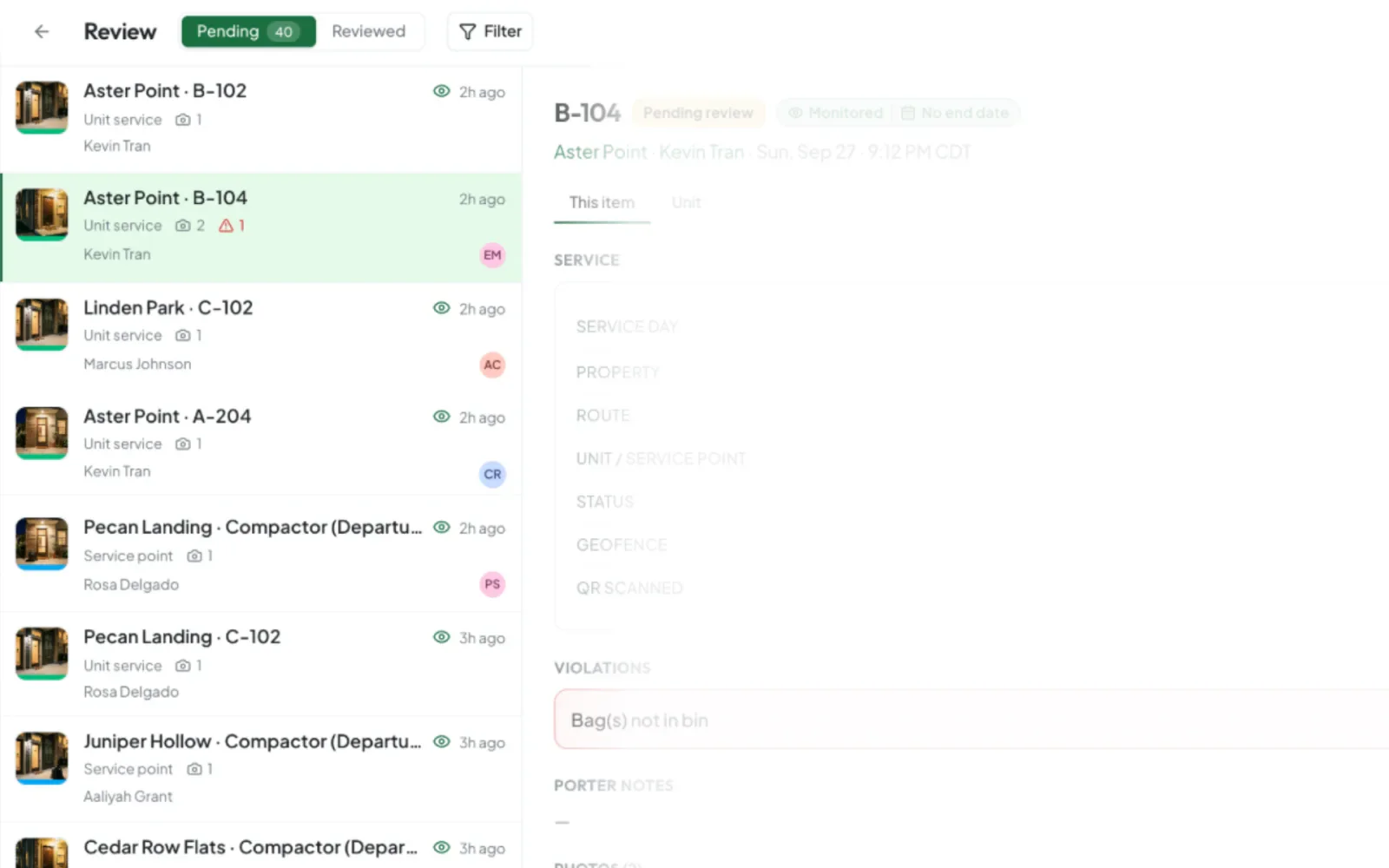
Service Review is optional; most operators let reports go straight out. Teams that want a second look turn it on, and incoming records land in one shared queue, with live presence and item-level locks showing what every reviewer is working on. Supervisors correct details in seconds, pull up the map for any record, and approve in parallel, moving the whole night through review without duplicated effort or overwritten decisions.
6:02 AM
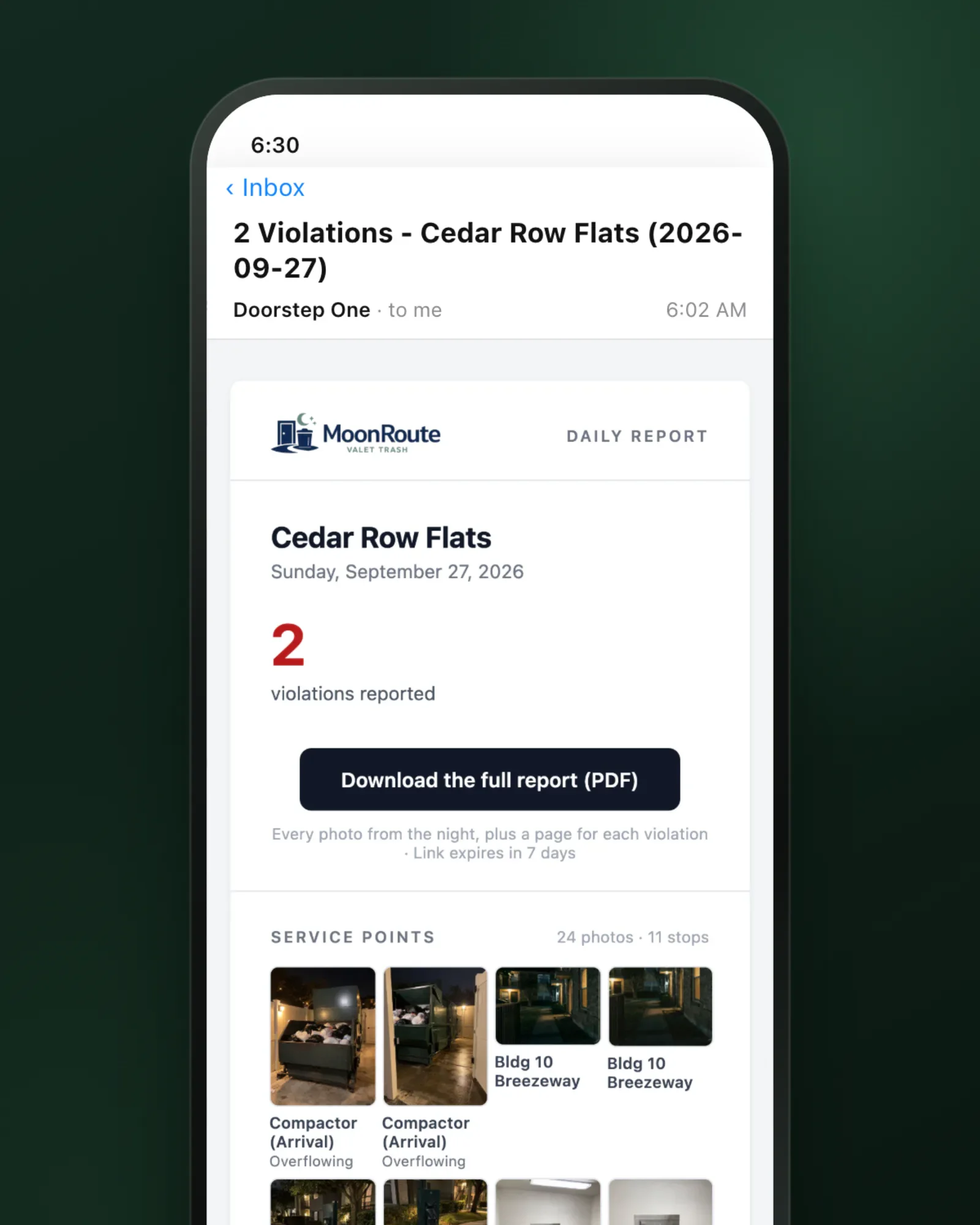
The report is already in the property manager’s inbox.
Before anyone opens a laptop, the daily property report goes to every property manager on the property: the service date, violation count, the night’s service-point photos, and the full report as a PDF, such as the compactor before and after. It waits until every route is finished (and reviewed, if you review), so it never goes out half-done, and if a route couldn’t run, it says “not serviced” and why. Property managers get a concise record of what needs attention — with the photographic proof behind it.
8:15 AM
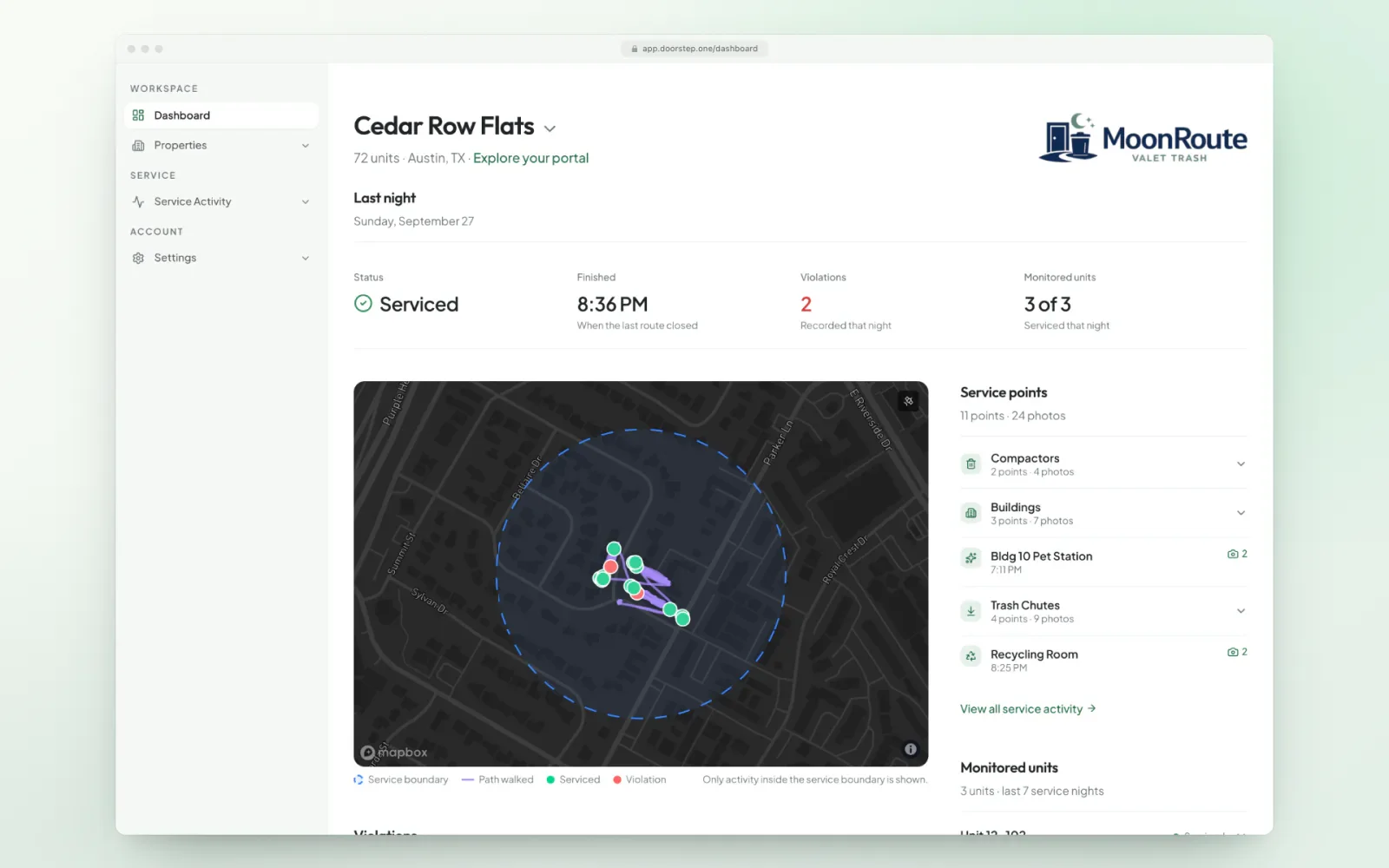
The property manager opens last night.
The property manager signs in on their own free login and sees last night inside the community: the path walked, building by building, every photo pinned where it was taken, and the violation at 12-204 one click away. No porter names, no calls to the provider, and any past night is there in Service Activity.
The parts best seen live
Route building, portfolio setup, and route pay are better shown on your own operation than in a tour.
Portfolio setup
Regions, properties, supervisors, and access configured around your operation.
Route building
Units, buildings, and service points assembled into a night’s work.
Porter pay
Route pay, pay periods, and payroll exports.
See the rest on a live demo
30 minutes on a real multi-state operation — your routes, your properties, your questions.
Or start your free trial now. Your first month is free, and no card is required.