
Turn trash night into a five-star amenity
Doorstep One gives connected residents a live window into service — schedules, set-out reminders, live collection status, and targeted operational notices delivered by push plus a persistent inbox — with an optional way to report a service issue, with photos, straight to the valet team.
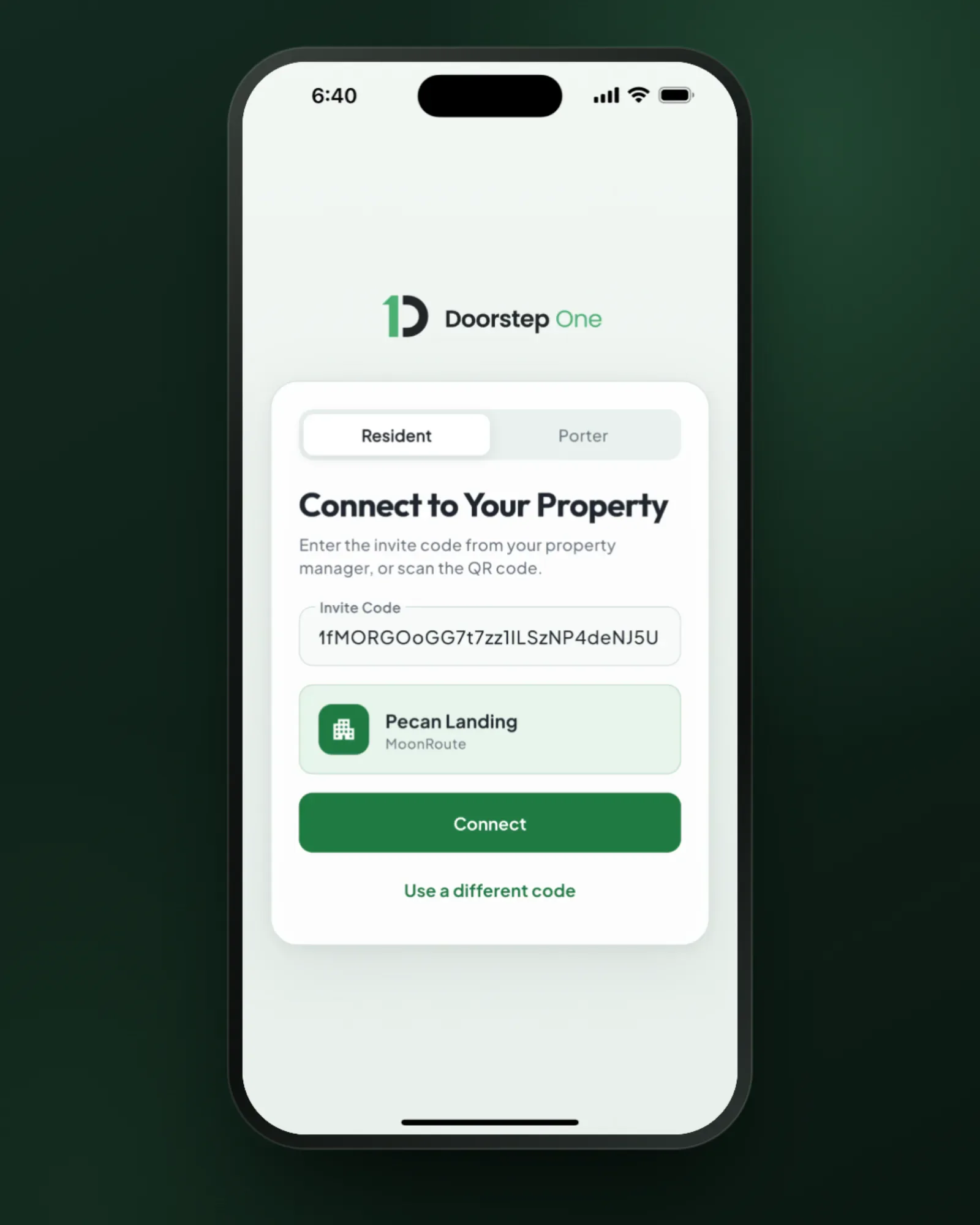
Connect without an account or password
Residents scan the property’s QR code, open an invite link, or enter the invite code, confirm the property, and pick their unit. The connection is tied to their device — no Doorstep One account or password to create or remember.
- QR code, invite link, or invite code
- Building and unit self-selection
- No Doorstep One account or password
- The same invite code restores their unit after a disconnect
- Enabled per-organization — you control the rollout
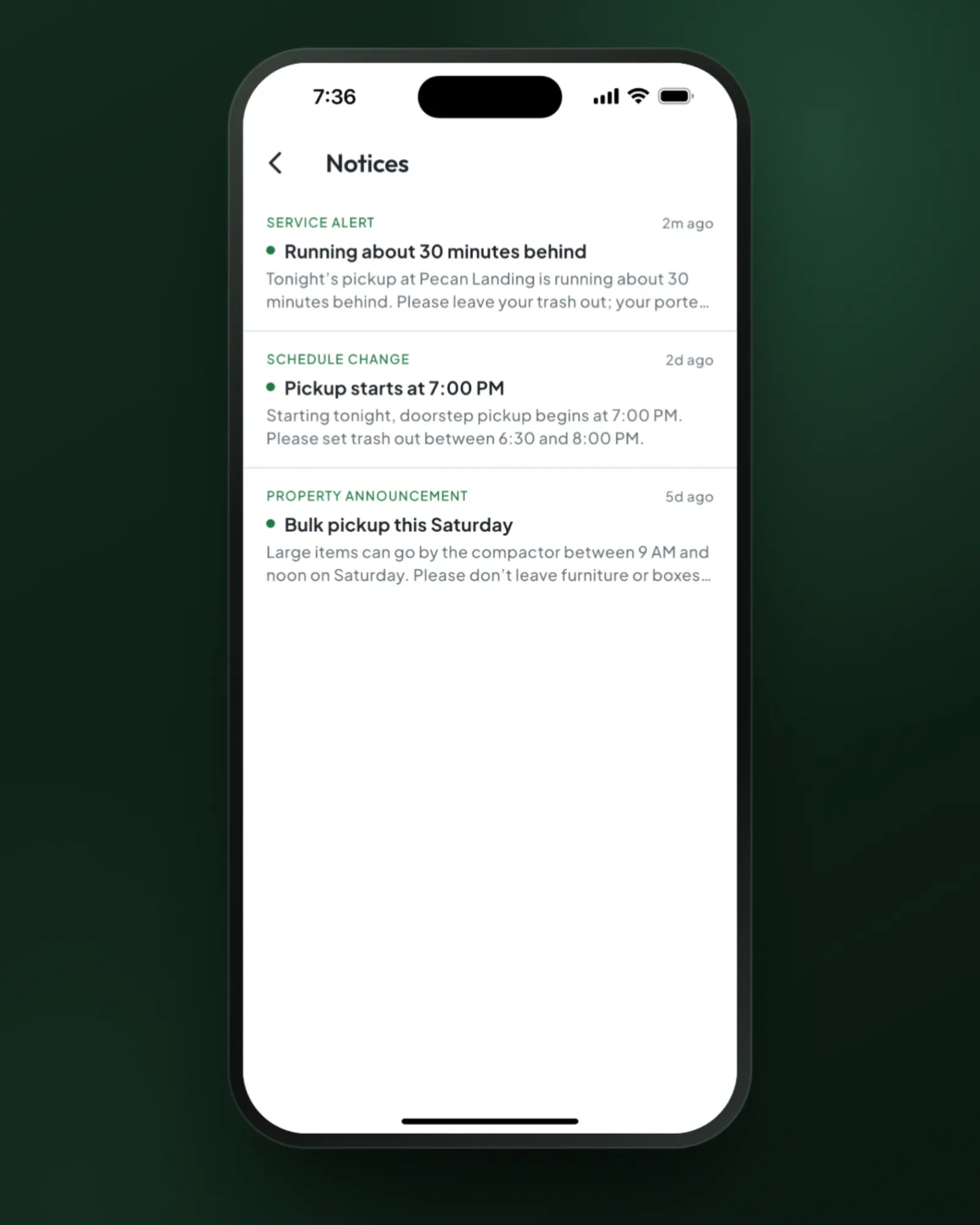
Send the update once. Give residents somewhere to find it again.
Send a Service Alert, Schedule Change, or Property Announcement to the connected resident devices that share it. Each notice lands in a persistent in-app inbox, even when a resident has muted that category’s push. The receipt separates included devices, pushes accepted by the provider, inbox-only delivery, retries, failures, and notices residents actually opened.
- Organization, region, property, route, or unit targeting
- Send immediately or schedule for later
- Non-urgent pushes wait for quiet hours to end in each property’s local time
- Persistent inbox plus delivery and open visibility
Reminders that prevent violations
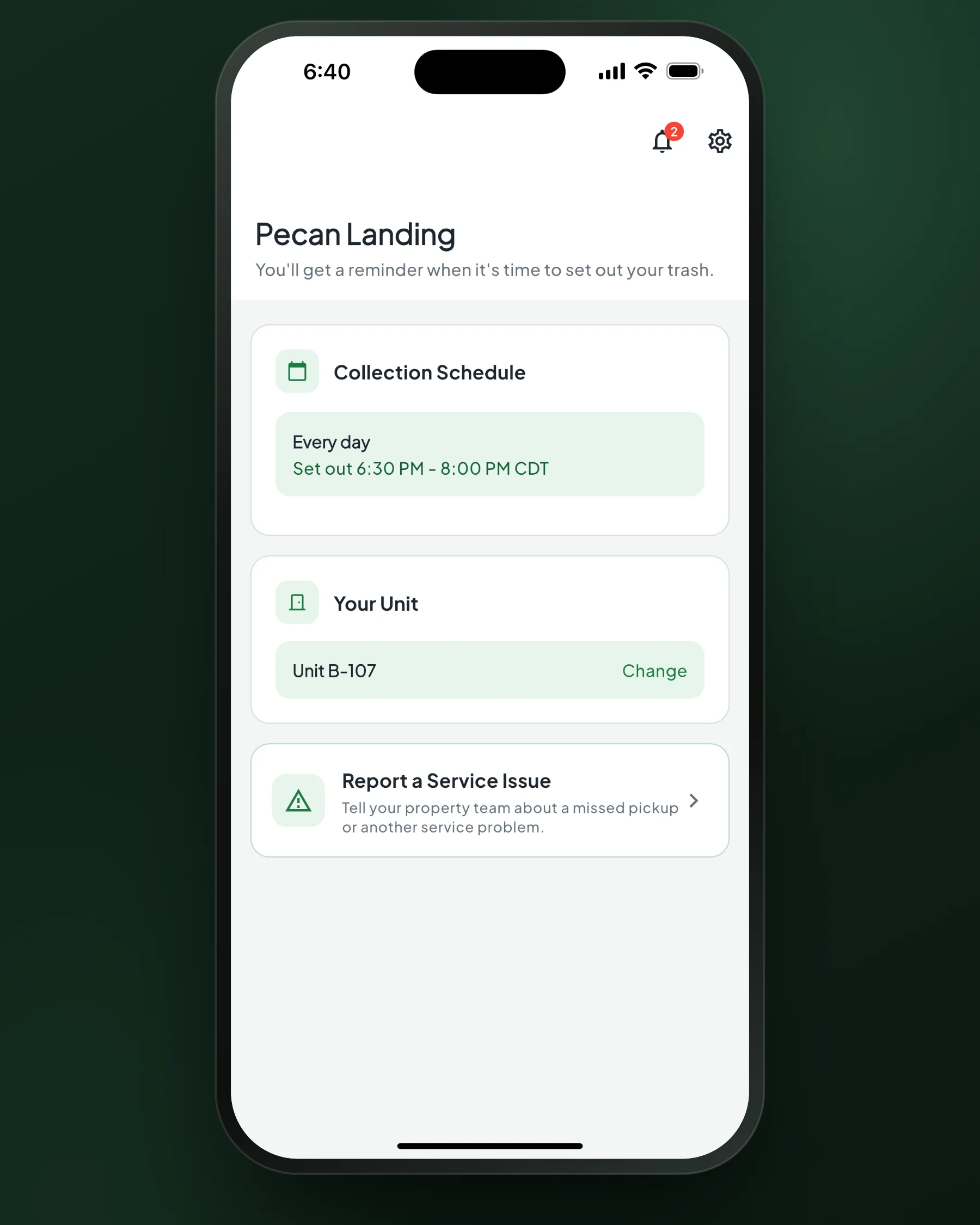
The most common violation is a late set-out. Residents opt into push reminders timed to each route’s set-out window — so bins are out before the porter arrives, not after.
- Set-out reminders timed to the actual route schedule
- Respects cancellations and schedule changes automatically
- Per-device opt-in and opt-out
- Fewer violations, fewer resident complaints
See service live — and reach the right team when something is wrong
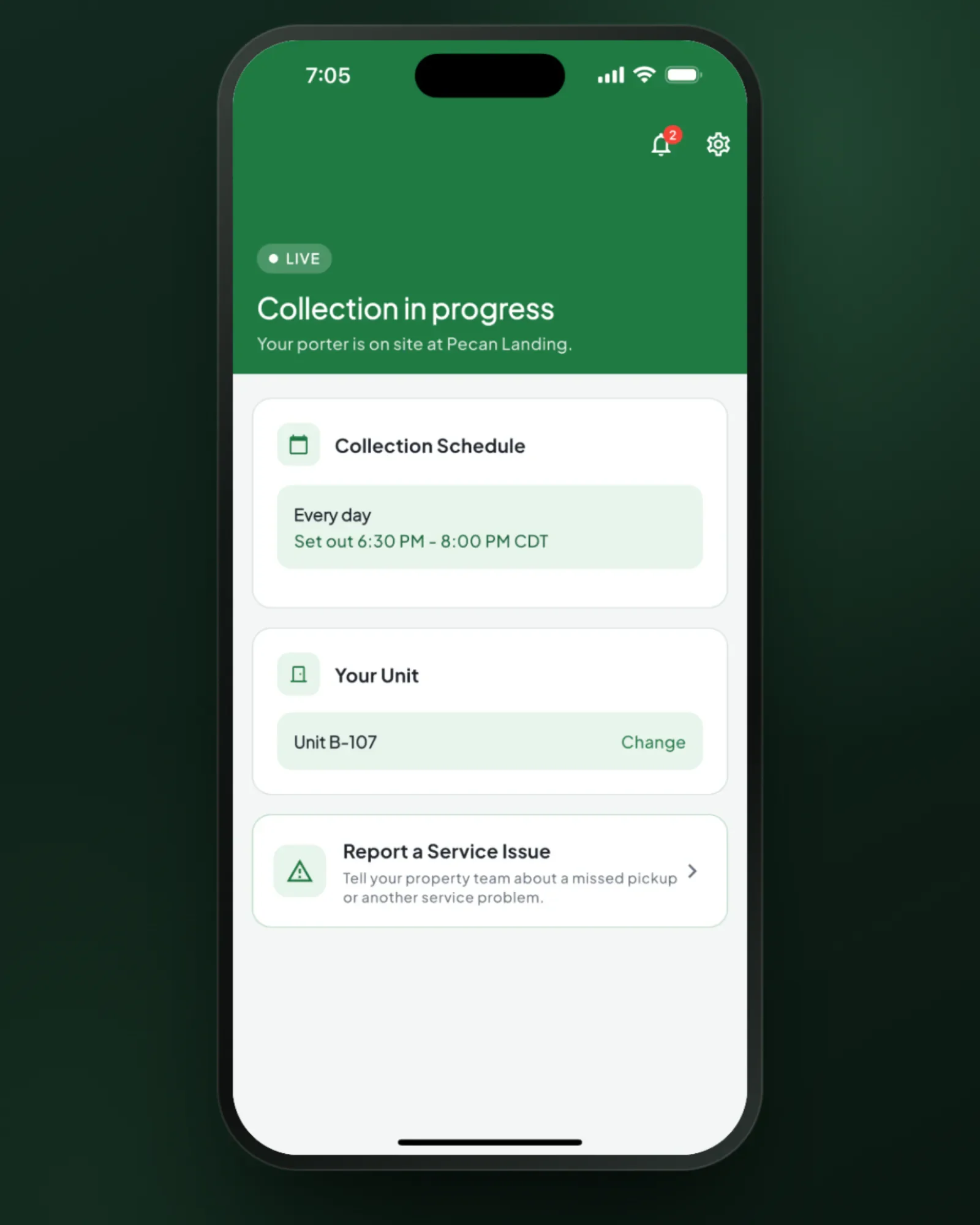
When a porter starts servicing the property, connected residents see it live. If something’s wrong, residents choose a reason, add a message and up to five photos, and send it to your team. You see it next to that unit’s recent service, violations, and monitoring history. Reports are the resident’s account, not evidence, and stay internal: residents get a confirmation and your support contacts.
- Real-time service status on resident home screens
- Optional service-issue reports, with photos and your own reasons
- Optional contact details plus configured email, phone, and web support links
- Company-wide enablement with property-level controls
Why operators and PMs love it
A resident experience connected to the operation behind it.
Targeted operational notices
Send service alerts, schedule changes, and property announcements only to the connected devices that need them.
A durable resident inbox
Every operational notice remains available in the app even when its push is muted or unavailable.
Communication you can account for
See included, phone-accepted, inbox-only, retrying, failed, and opened counts without calling a push an open.
Fewer preventable complaints
Set-out reminders and timely service updates answer questions before they reach the office.
Direct issue reporting
Residents can report a problem with photos straight to your team, not the leasing office. You see it next to that unit’s service history.
Controlled by your operation
Set sender roles and organization defaults, then enable or disable notices property by property.
Your support contacts, never ours
Residents only ever see your support email, phone, and site, never Doorstep One’s. Set them once, and override the email or phone for any property.
An invite kit property managers can use
Every property has a ready-made kit: invite code, link, printable QR, and copy-paste instructions, plus connection counts property managers can see too.
Connections that come back
A new phone or a disconnect is no problem: the same invite code restores the resident’s unit, and the invite never expires.
Make trash night part of your pitch
See the resident experience live — from QR-guided connection and service status to a targeted notice, persistent inbox, and a service issue reported with photos.
Or start your free trial now. Your first month is free, and no card is required.