
A valet trash porter app built with porters
Available for iPhone and Android in English and Spanish, the Doorstep One porter app is shaped with working porters to make nightly collection simple, intentional, and easy to learn.
Download the Doorstep One porter app
Available for porter teams on iPhone, iPad, and Android devices.
Built for Simplicity
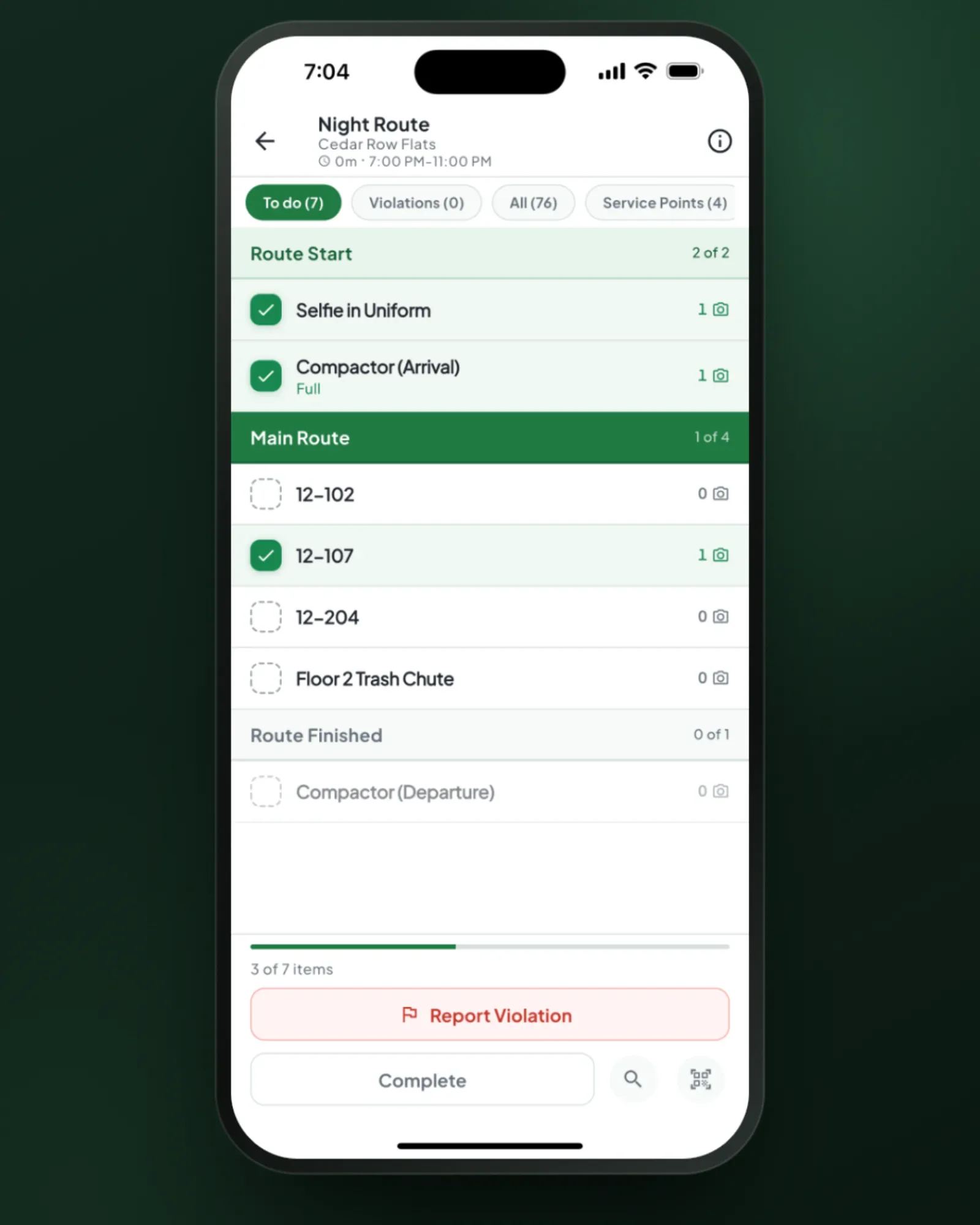
A started route opens on tonight’s required units and service points as a checklist, with a counter that tells porters when they’re done; everything else on the route is one tap away. Tap a unit or service point, take the photo, hit Finished. New porters learn it in minutes — not hours — so you spend less time on training and more time on service.
- Required units and service points as a checklist with a clear finish line
- Stages that unlock in order, like arrival photos first
- Property entry instructions and service-point locations on screen
- Pause with a reason the office can see
Real-Time GPS Tracking
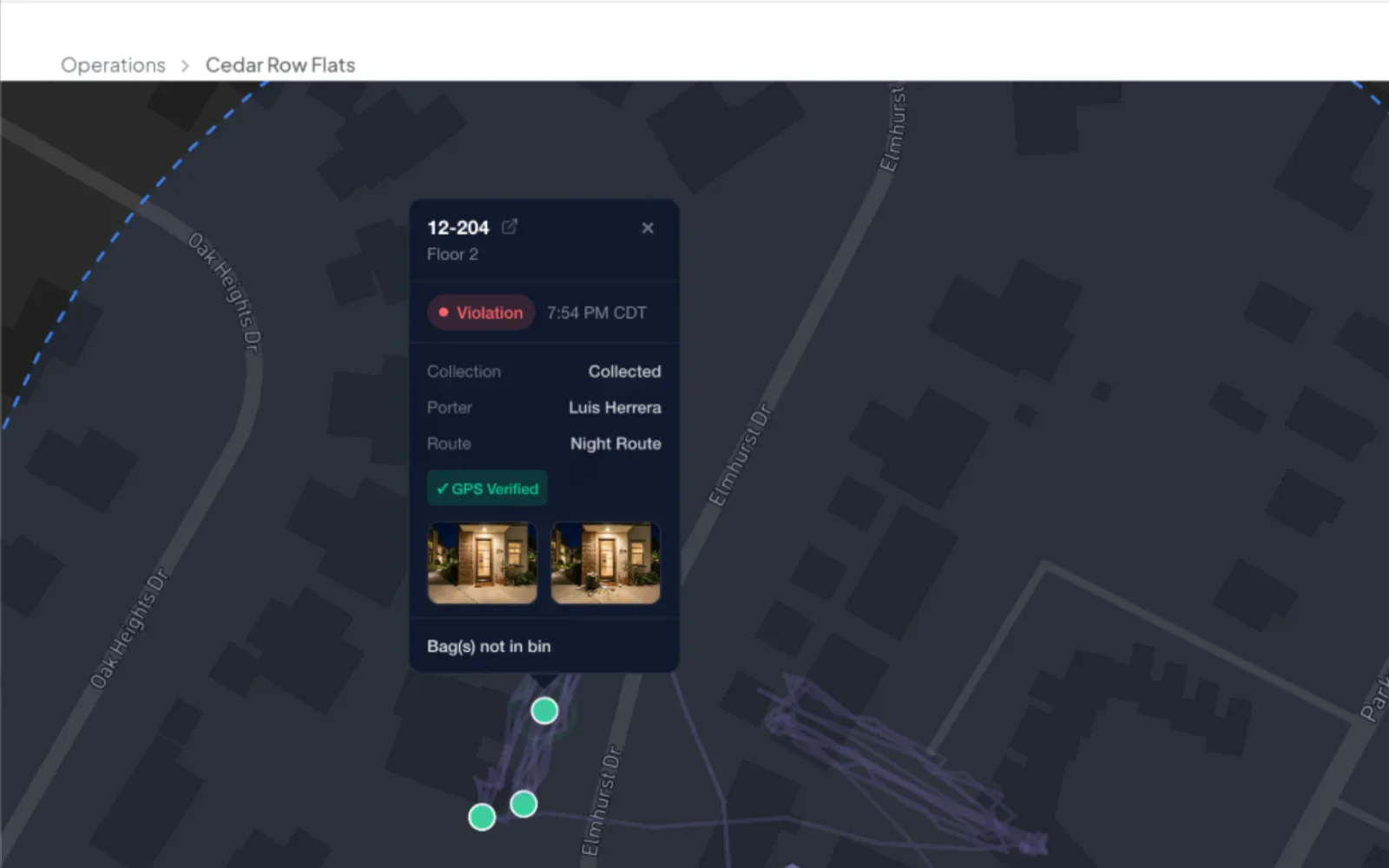
Operations can watch porters live on a map during active routes, and replay any night's route the next morning to answer a complaint or coach a new porter. Every record a porter logs is stamped with GPS and time, and location is used only while a route is active.
- Live porter location during active routes
- Nightly route playback for supervisors and operations
- GPS and time on every record
- Work logged off-site is flagged against each property's boundary
One-Tap Photo Documentation
Tap a unit or service point and keep shooting — or start a Photo Session: a persistent camera where every shot attaches to one compactor, building, or floor, with no re-selecting between photos. Every photo is stamped with time and GPS, and each one can be checked or retaken before it’s kept.
- Quick-capture camera for field conditions
- Photo Session continuous capture for buildings, floors, and compactors
- Time and GPS on every photo
- Violations record whether the trash was Collected, Partial, or Not Collected
- Check or retake each photo before it’s kept
Works Without Cell Signal
Porters walk between buildings, through parking garages, and into basements where cell signal drops. The porter app keeps working — service, photos, and violations sync on their own when signal returns.
- Keep servicing, photographing, and logging violations with no signal
- Photos keep uploading even after the app closes
- Everything syncs on its own when signal returns
- Photos stay on the phone until Doorstep One confirms it has them
Work a Route Together
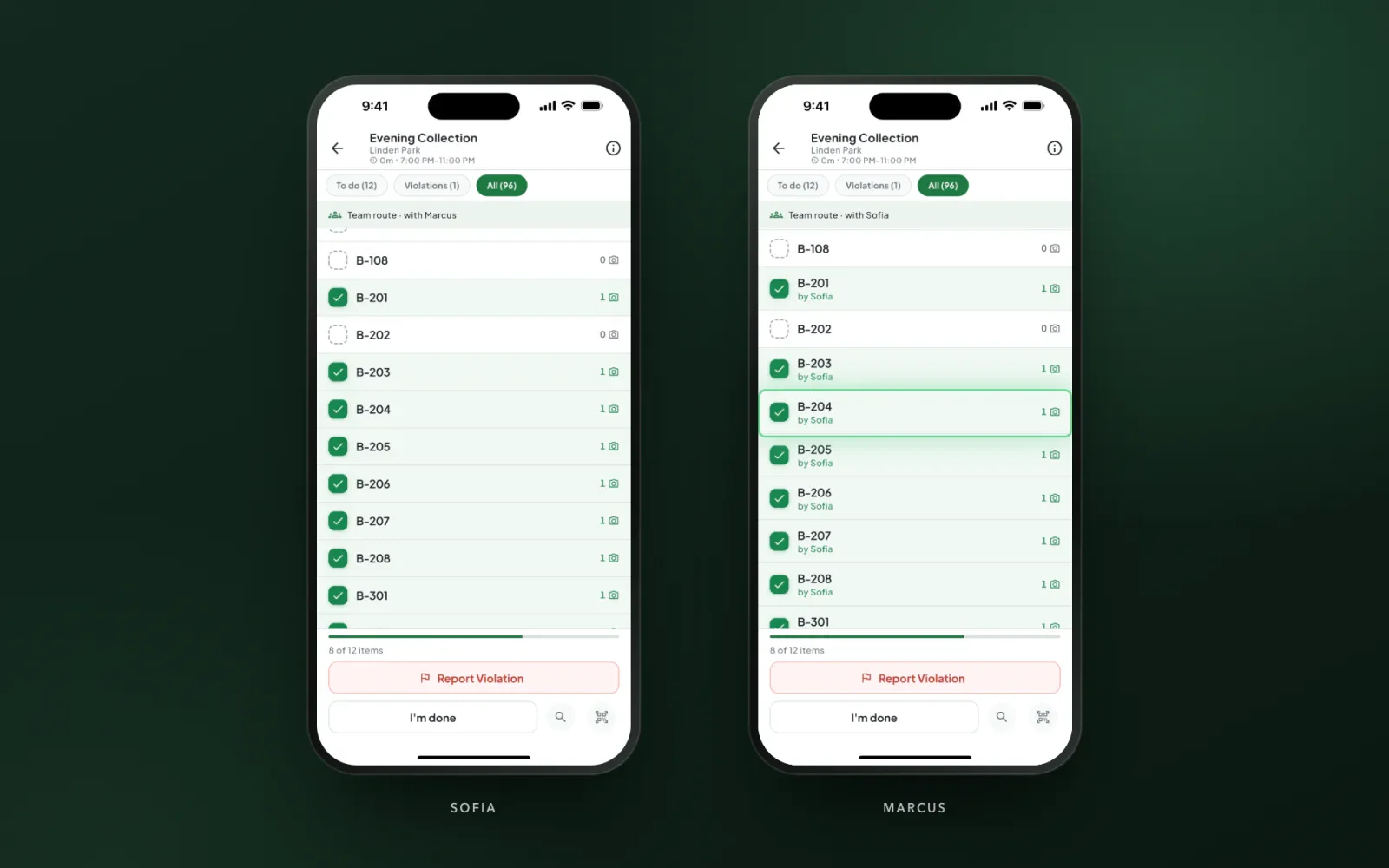
On a team route, up to 10 porters have the same route open on their own phones at once. Every door a teammate finishes appears on everyone’s screen in real time with their name on it, a banner shows who they’re working with, and each porter taps I’m done for their own part.
- One shared list, worked in any order
- Teammates’ finished doors appear in real time
- Each porter finishes their own part
- Every door credited to the porter who logged it
Fix It the Same Night
When a supervisor sends a record back in review, it shows up in the porter’s app as a follow-up to redo, and the route waits for it. The evidence gets fixed the same night instead of disputed next week.
- Follow-ups listed right on the route
- The route waits until they’re redone
- Redos go back to review automatically
Supervisors Use the Same App
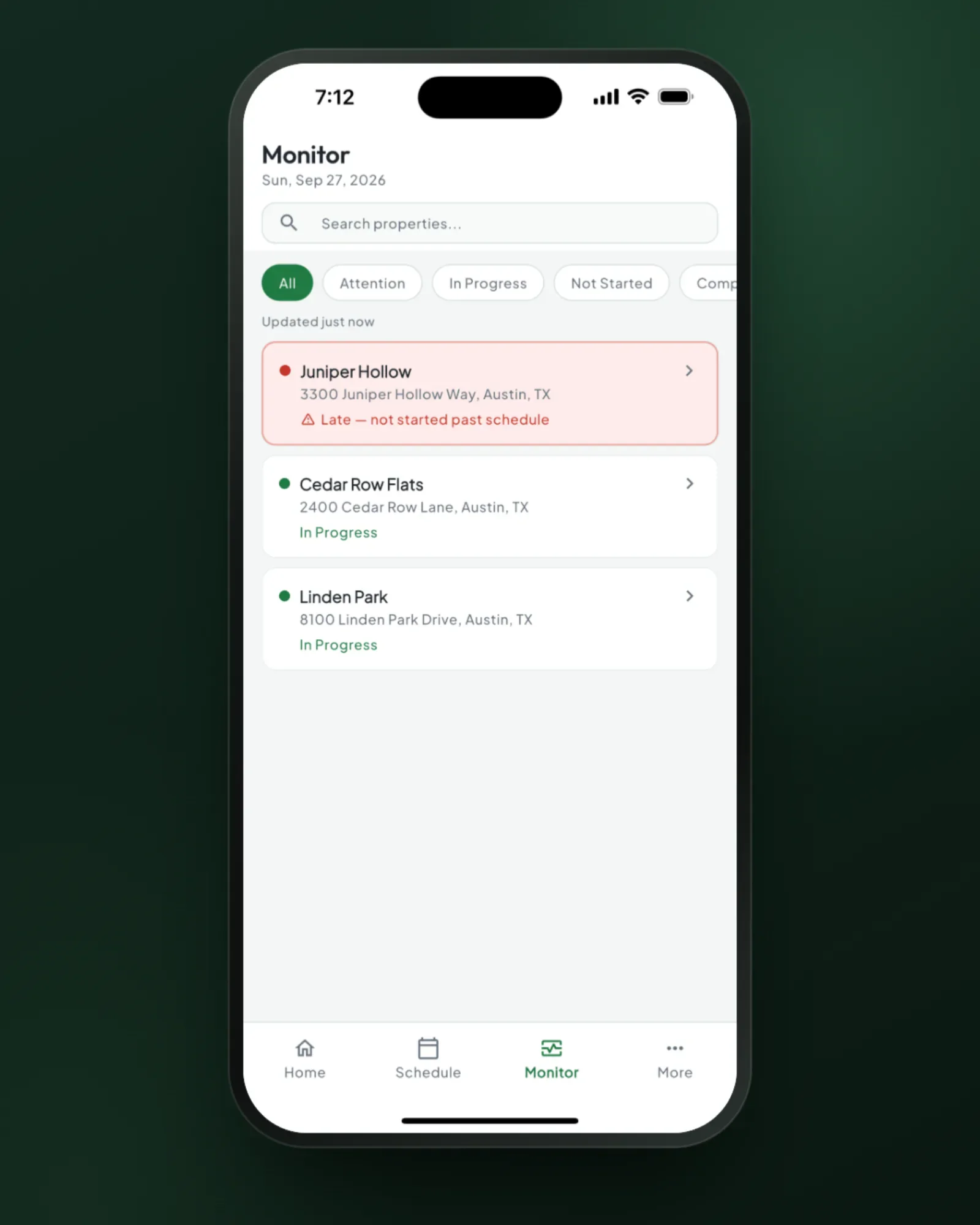
Owners, admins, and supervisors get a Monitor tab that shows tonight’s properties by what needs attention. Open the photos, call or text the porter, reassign a route, or step in without taking it over.
- Properties that need attention rise to the top
- Real photos from tonight, one tap away
- Step in while pay stays with the porter
Details that matter in the field
Details shaped with the people doing the work every night.
Live Location Tracking
Operations can see where every porter is in real time during active routes.
QR Code Scanning
Every unit gets a printable QR code; porters can scan one to jump straight to that unit.
Pause With a Reason
Porters pause a route with a reason, and the office sees why right away.
Biometric Login
Face ID / Touch ID for quick, secure access without typing passwords.
Multi-Language
The app follows the phone’s language: English or Spanish.
Route Completion
Complete checks that every required unit and service point is logged, and a Route Completed screen confirms the night is closed.
Porter app questions
Yes. Porters keep servicing units and service points, taking photos, and logging violations in basements and concrete breezeways, and everything syncs on its own when signal returns — photos keep uploading even after the app closes. Starting and completing a route need a brief connection.
Yes. Full English and Spanish support, on iPhone and Android.
Minutes, not hours. A started route opens on tonight’s required units and service points as a checklist, with a counter that tells porters when they’re done — no training manual required.
Photo Session keeps the camera open: as many photos as each unit or service point needs, one tap apart, all attached to the right compactor, building, or floor — and a violation can be logged to a specific unit without leaving the camera.
Yes. On a team route, up to 10 porters have the same list open on their own phones at once. Doors a teammate logs are checked off on everyone’s screen in real time, with their name, a banner shows who they’re working with, and each porter taps I’m done for their own part.
Give your porters the best tools in the industry
Happy porters stay longer. Better tools mean lower turnover and higher service quality.
Or start your free trial now. Your first month is free, and no card is required.