
Automated valet trash reports for property managers
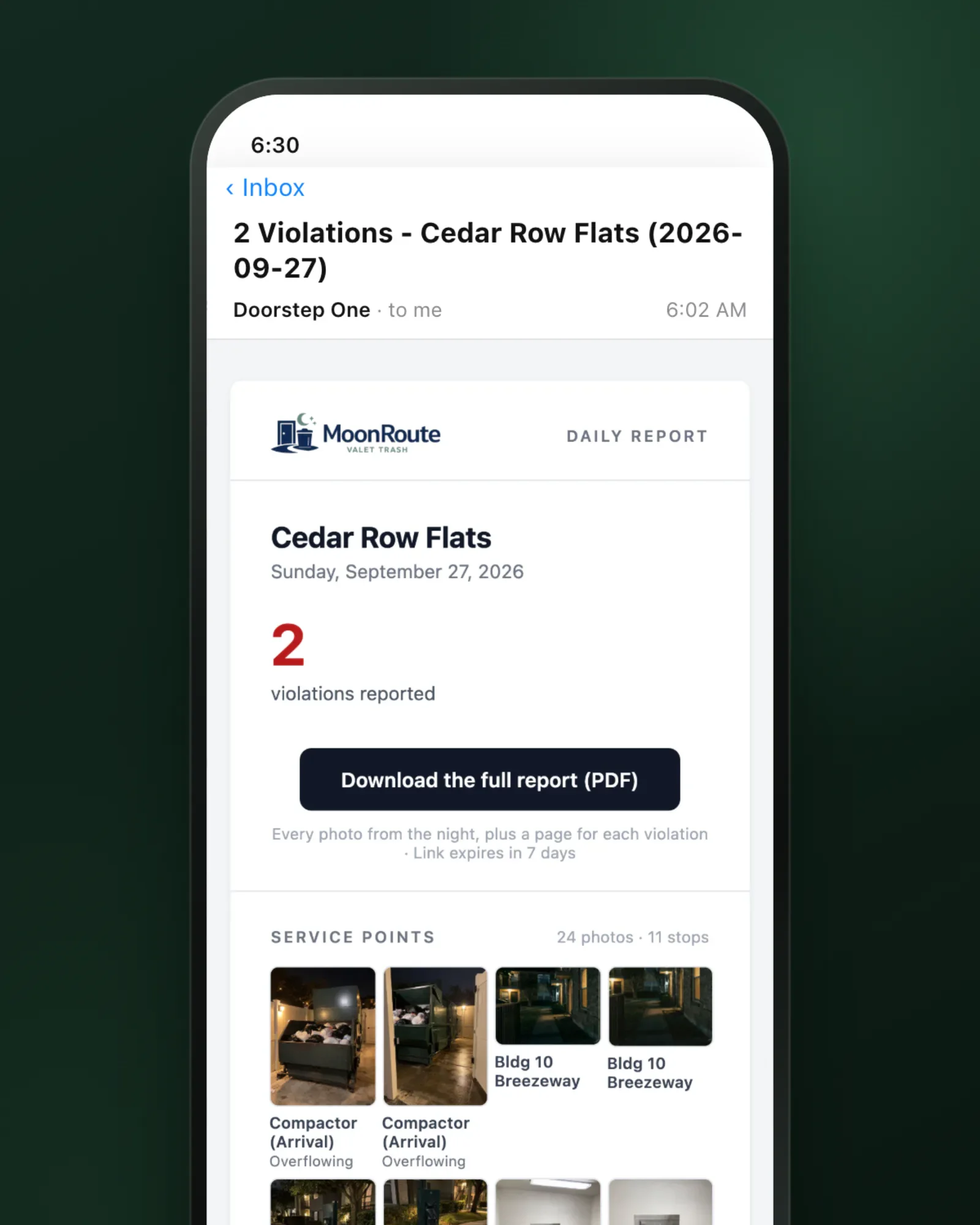
Every property manager gets their property’s report automatically the morning after, with your logo, the night’s photos, and a PDF for every violation.
This is what your property manager sees
A report goes out the morning after every serviced night, with a subject line built to scan: property managers see at a glance whether there were any violations. Inside, under your logo, are photos from every service point on the route and a downloadable PDF with a detail page for each violation, complete with its photos and a map of where it was logged.
Automatic delivery, with a record of every send
Property managers are subscribed automatically for every property they oversee. Each property shows who each night’s report went to, any failures, and resends. Added a manager late? Send up to 31 past nights in one catch-up email.
- Every property manager subscribed automatically
- Delivery list for every property
- Catch-up resend of up to 31 nights
Email Identity at Every Level
Your logo heads every report email and PDF. Set the visible sender name, Reply-To address, and CC recipients for daily reports. Organization defaults can be overridden for the regions and properties that need different routing.
- Your logo on every report email and PDF
- Custom visible sender name
- Configurable Reply-To address
- CC recipients for shared visibility
- Region and property-level overrides
Their own login, with last night on a map
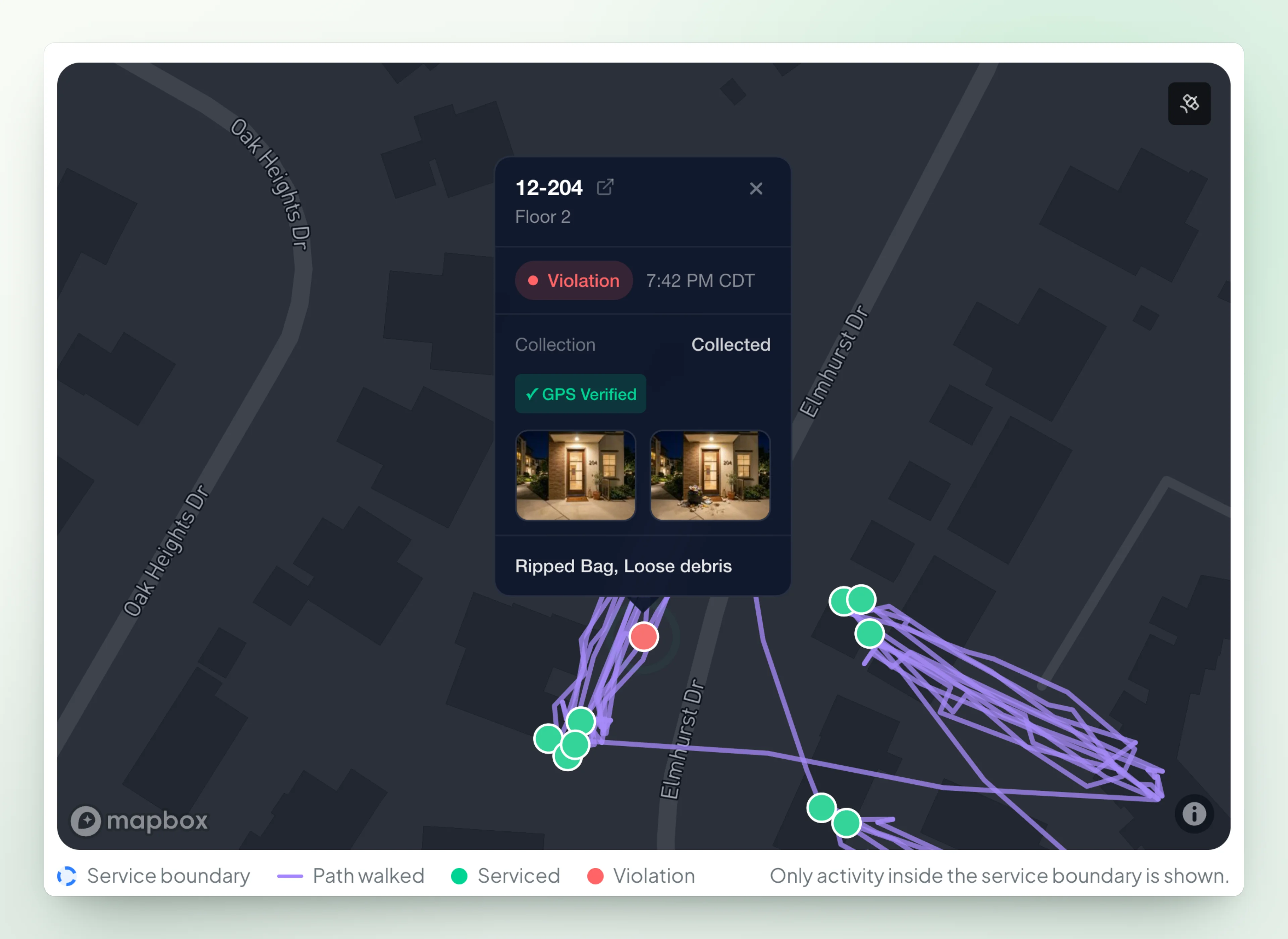
Every property manager can sign in and see last night inside their community: the path walked, with every photo pinned where it was taken, and any past night in Service Activity. The map doesn’t show porter names.
- Last night on a map, clipped to the community
- Every photo pinned where it was taken
- Any past night in Service Activity
- Only their communities, on their own free login
Violation Reports Ready for Follow-Up
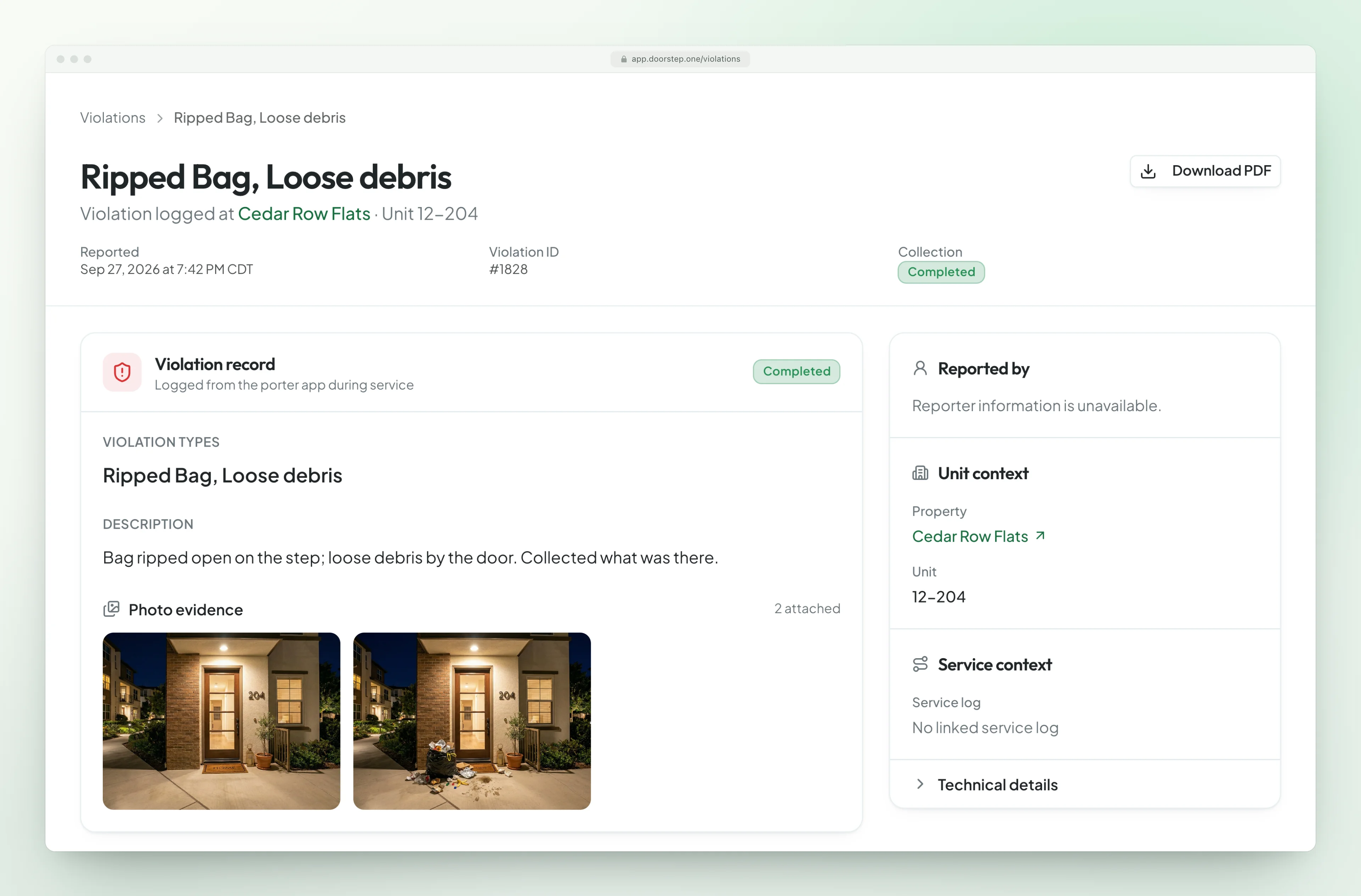
Open any violation record with its unit, type, timestamp, location, and photo evidence, then generate a professional PDF that can be forwarded for resident follow-up.
- Unit, violation type, time, and GPS context
- Photo evidence attached to the record
- Printable violation PDF export
- Evidence ready for property-manager follow-up
Data you can act on
Every metric is designed to help you improve operations, retain clients, and grow.
Daily Property Reports
Automatic property emails with the violation count, the night’s photos, and the full report as a PDF.
Photo Evidence
Compactor before-and-after and other service-point photos, organized by property.
Violation PDF Export
Export violation reports as PDFs with full photo evidence and GPS metadata.
Delivery History
See who every night’s report went to, any failures, and resends, property by property.
Reports That Wait for the Night
The morning report goes out once every route is done and every photo has uploaded (and the night is approved, if you review), never half-finished.
GPS-Verified Data
Every record a porter logs carries time and GPS.
Not-Serviced Notices
When a night doesn’t run and you choose to tell the property, the report says “not serviced” and why. If nothing else ran, the property manager still gets a short notice instead of silence.
Separate and Internal Routes
Keep a route internal, like a monthly QA walk by a manager, so it never reaches a property manager’s report, or give a daytime route its own short report so it never holds the morning email.
Unlimited Property Managers, Free
Each gets their own login and their own morning report for every property they oversee, and can switch off any property. When someone moves on, remove them in a click; there’s no shared password to change.
The chain, in production
One operator, one month of evidence
Here is what the chain produced across G&H Trash Valet’s portfolio in July 2026.
24,177
Service records in July 2026
99.9%
Included photo evidence
98.2%
GPS-verified
Property reporting questions
Yes. Every property manager gets the property’s report automatically the morning after, once the night’s routes are done: All Clear or the violation count, the night’s service-point photos, like the compactor before and after, and a PDF with one page per violation. No one has to remember to send it.
Every property manager on a property gets its report automatically, and each can switch off any property. Sender name, reply-to, and CC can differ by region or property, and each property shows who every night’s report went to. The earliest send time is set once for your organization.
Yes. Beyond the daily reports, you can generate a property report on demand for any past dates, up to 31 days at a time — useful for renewals, disputes, and monthly reviews.
Yes, optionally. Larger teams turn on the review queue so a supervisor approves photos and records before anything reaches a client report.
Let your data do the talking
Automated reports that prove your value every single morning.
Or start your free trial now. Your first month is free, and no card is required.