
Run every valet trash route from one command center
Stop juggling spreadsheets and group texts. Schedule every route, put a crew on the nights that need one, and watch every property and porter live, from the office or your phone.
Scheduling & Assignments
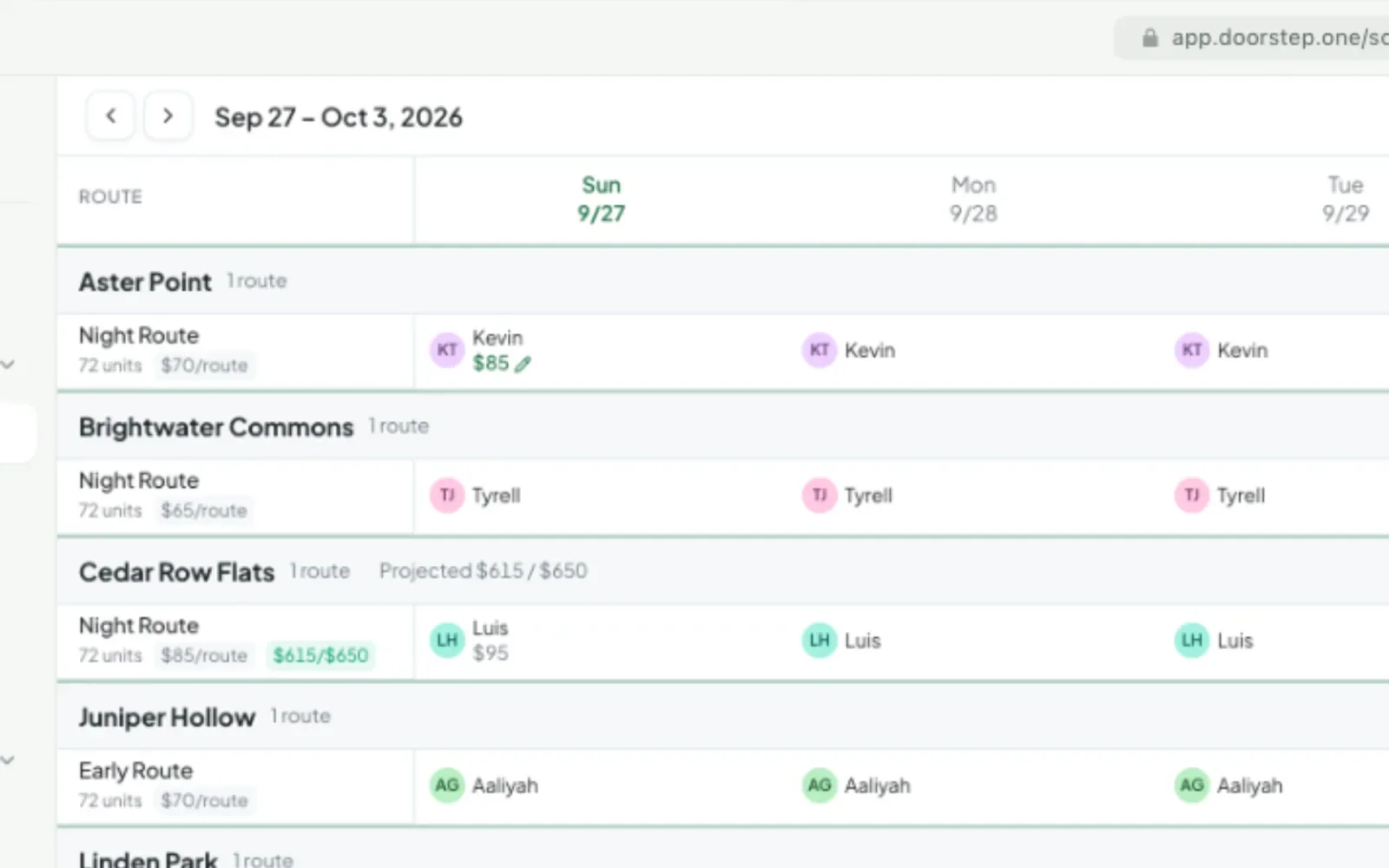
Staff two weeks from one board. Default porters schedule themselves, drag to fill many nights at once, and when someone calls out, assign another porter and set a one-night rate from the same cell.
- One board across every property and route
- Default porters fill the schedule automatically
- Fast coverage for last-minute call-outs
- Cancel a night with a reason and a pay choice
Team Routes
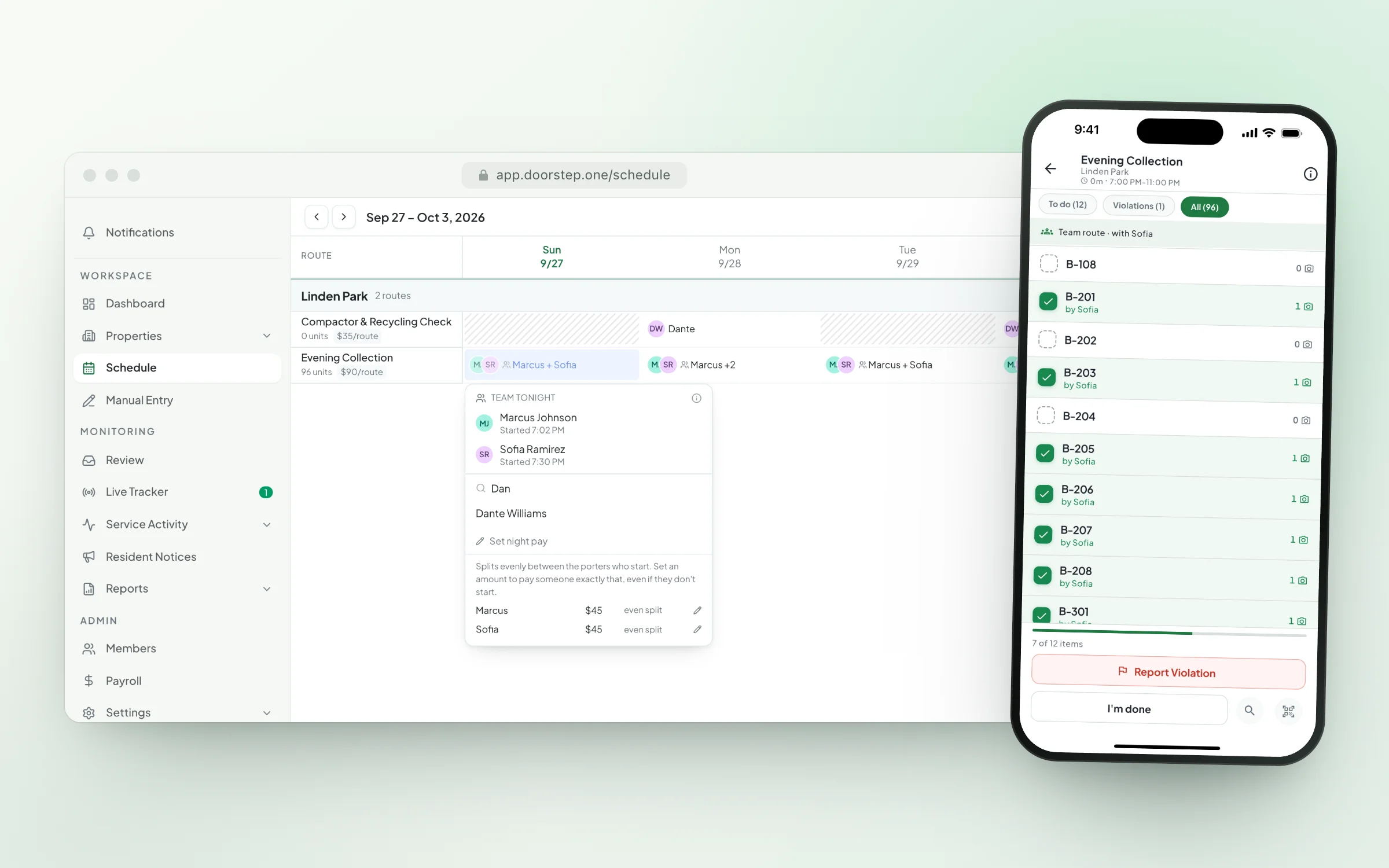
When a route needs more hands, put two to ten porters on it for the night. Set default porters for crews that work together, or add a helper from the Schedule board or Live Tracker, even after the route has started. Everyone works the same list on their own phone and sees teammates’ finished doors appear in real time, each porter is credited for their own work, and night pay splits itself. One porter per route is still the simplest setup for most properties.
- Two to ten porters on one route, every phone in sync
- Add a helper mid-route
- Each porter credited for their own work
- Night pay splits itself
Portfolio-Wide Live Operations
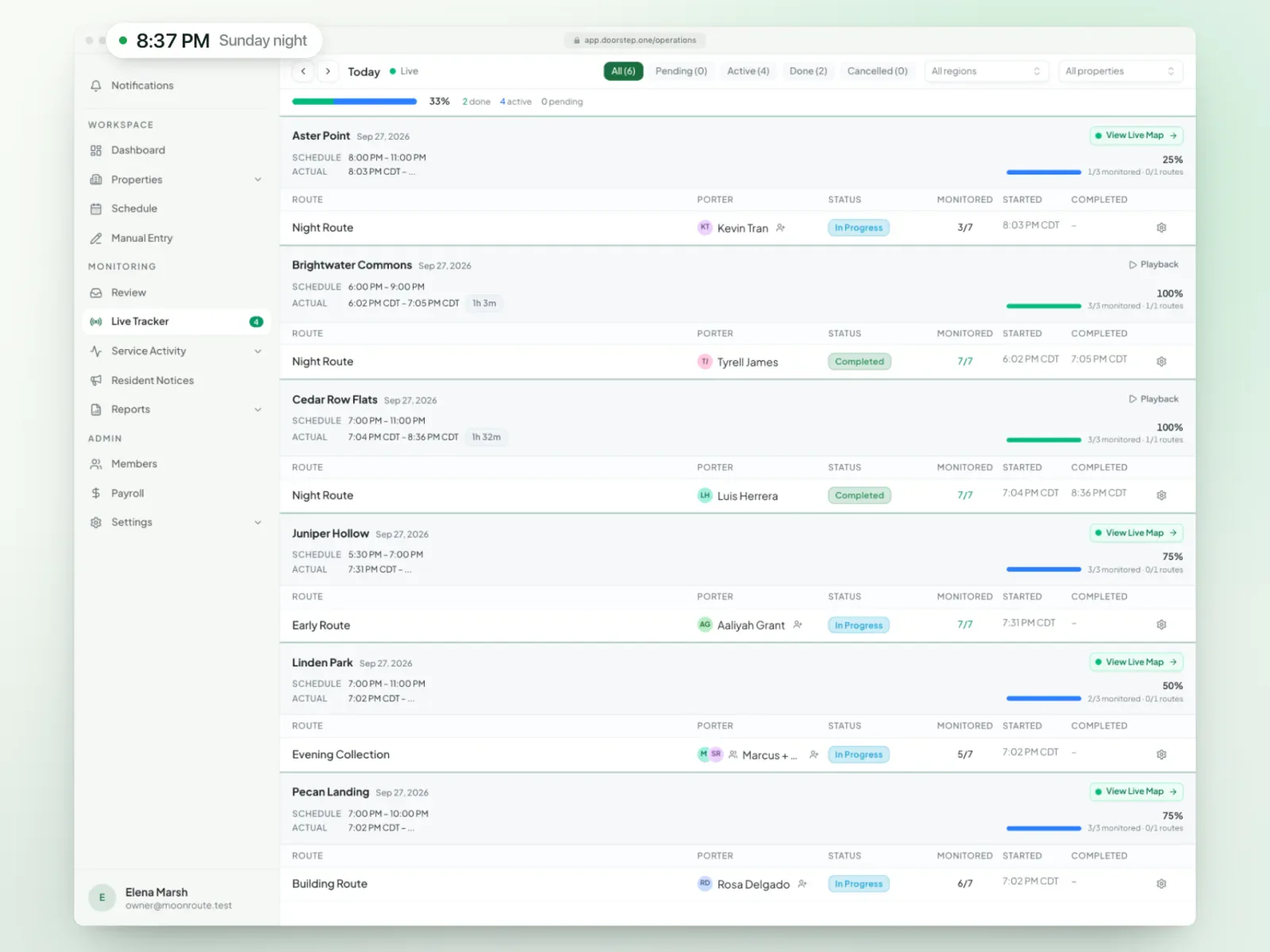
The Live Tracker puts every property, route, and porter on one board as work moves from not started to in progress, paused, or complete. See what’s stalled while there’s still time to fix it, open any property’s live map to watch its porters move, and add a porter or complete a team night from the same screen.
- Live status and progress across every route
- Route stages in the order you define — arrival to departure
- Pauses and stalled work visible right away
- Access scoped by region and property
Live Maps & Route Playback
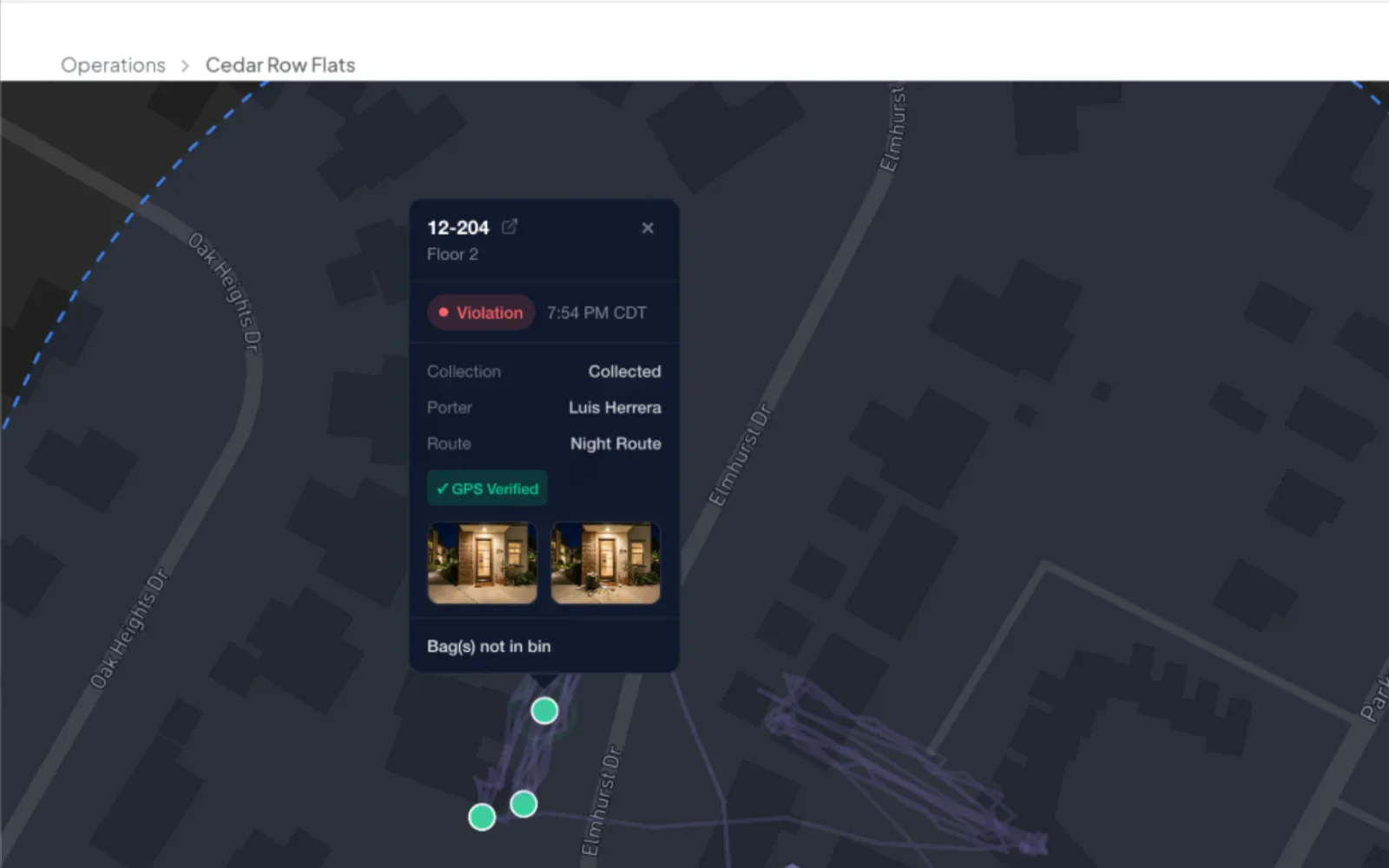
Watch any night unfold on the map like a video. Every porter’s trail plays back together, and you can scrub to any moment to see exactly where everyone was, with every photo and violation pinned where it was logged. Use it live tonight, or replay last Tuesday to coach a new porter or answer a complaint.
- Live porter movement during active routes
- Replay any past night at 1×, 2×, or 4× speed
- Scrub to any moment and see where everyone was
- Every photo and violation pinned to the map
Collaborative Review
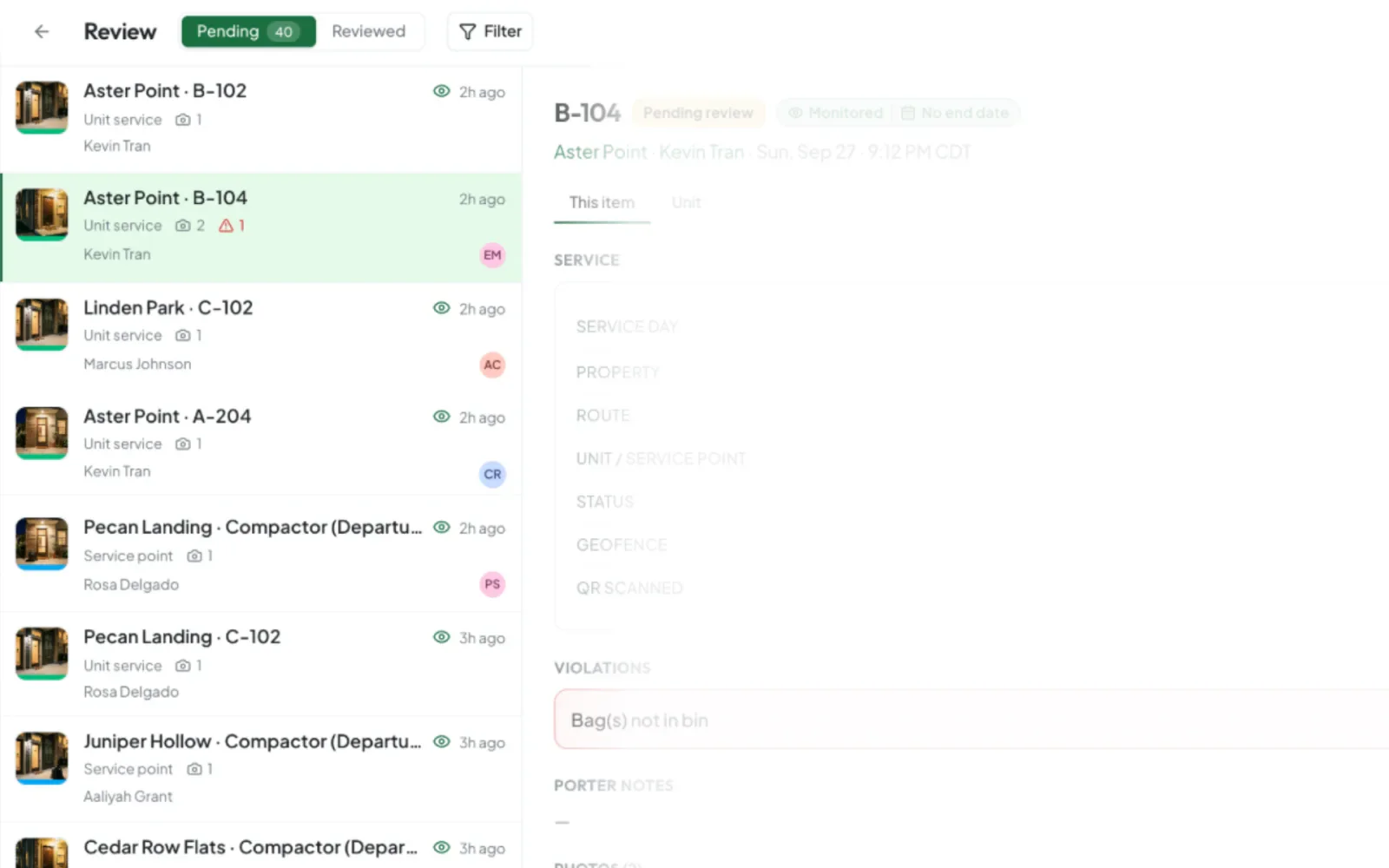
Service Review is optional, and most operators never turn it on: reports go out on their own once the night is done. If you want a second look before anything reaches a client, turn it on and your team works one inbox together, covering every kind of record: doors, service points, and violations. Reviewers see each other live, item-level locks prevent duplicate work, and keyboard shortcuts clear hundreds of records fast.
- Optional: off unless you turn it on
- Every kind of record, not just violations
- Each reviewer sees only their properties or regions
- Live reviewer presence and item-level ownership
- Approve, edit, and move on from the keyboard
- Quick corrections without leaving the review queue
- Historical notes and monitoring context per unit
- Shared approvals with a complete audit history
Built for nightly operations
Every feature is tuned for the rhythm of nightly service windows.
Geofence Verification
Confirm porters are on-site at each property with configurable geofence boundaries.
Route Playback
Replay any night like a video: scrub to any moment to see where every porter was and what they logged.
Service Windows
Set each route's service window in the property's local time. Early starts and routes that never start are flagged automatically.
Everyone Sees Their Share
Give each supervisor a region or a few properties. Their board, review inbox, and phone show only those, without the noise from everything else.
Supervisors on the Phone
The Monitor tab shows tonight’s properties by what needs attention. Open the photos, call or text the porter, reassign a route, or step in without taking it over.
Cancel With a Reason
Record why a night didn’t run, choose whether the property manager sees “not serviced” and the reason, and choose whether the porter is paid.
Audit Trail
Every action is timestamped and attributed for full transparency and accountability.
QR Code Scanning
Every unit gets a printable QR code; porters can scan one to jump straight to that unit.
Live operations questions
Yes. The Live Tracker puts every property, route, and porter on one board as work moves from pending to active, paused, or complete.
Yes. Access is scoped by region, property, and responsibility, so each person sees exactly what they are responsible for.
Routes that haven’t started, pauses, and slow progress are visible live. Every hour, Doorstep One also flags missed routes and pickups, skipped parts of a route, missing photos, off-site work, early starts, and routes finished too fast or never finished, so you hear about it before your property manager does.
Yes. Route stages run in the order you define — for example arrival photos, then the route, then a departure photo — or run everything as a single stage.
Yes. Put up to 10 porters on one route for the night, or add a helper after the route has started. Everyone works one list, each porter is credited for their own work, and night pay splits automatically. One porter per route is still the simplest setup for most properties.
Cancel it from the Schedule board or the Live Tracker with a reason from your own list. You choose whether the property manager sees that the night was not serviced and why, and whether the porter is paid. A cancelled night never holds the property’s report and is never counted as missed.
Take control of your operation
See how the Operations Command Center can replace your spreadsheets tonight.
Or start your free trial now. Your first month is free, and no card is required.