
A whole crew on one route, every phone in sync
Put up to 10 porters on one route. Everyone works the same list on their own phone, and every door a teammate finishes appears on everyone’s screen in real time, with their name on it.
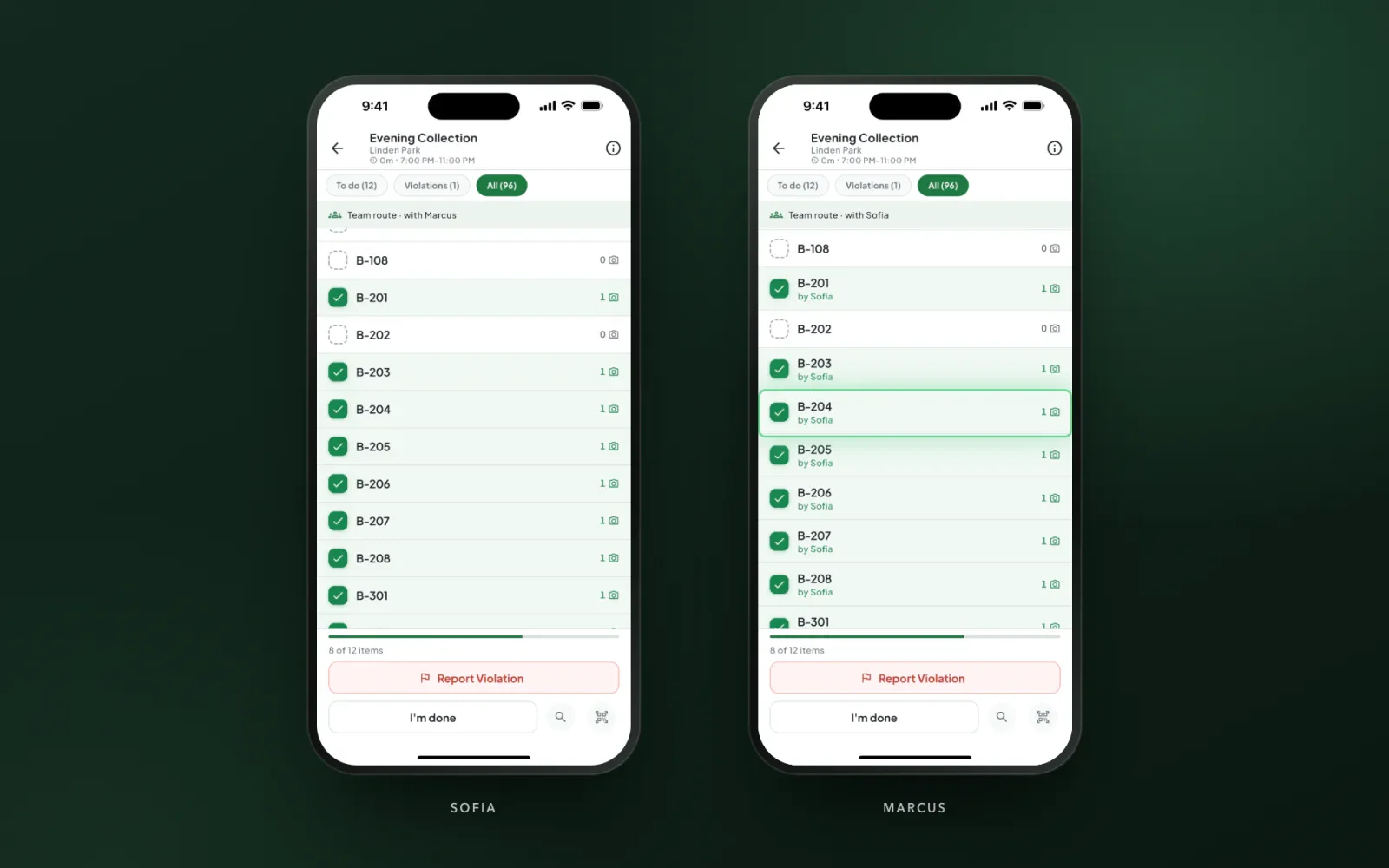
Everyone sees the route update live
Several porters can have the same route open at once. When anyone logs a door or a service point, it’s checked off on every teammate’s phone within seconds, marked with who did it. The crew splits up the buildings as they go, nobody walks to a door that’s already done, and two porters flagging the same problem make one violation, not two.
- The same list, open on every porter’s phone
- Teammates’ finished doors appear in real time
- Every door shows who logged it
- A banner shows who you’re working with
Add a helper, even mid-route
Set default porters on a route so every night is staffed with the same crew, or add a helper for one night from the Schedule board or the Live Tracker. It works after the route has started: the helper gets a notification and the route appears in their app right away.
- Up to 10 porters on one route
- Default porters for crews that work together every night
- Add a helper from the Schedule board or Live Tracker
- The helper’s app updates right away
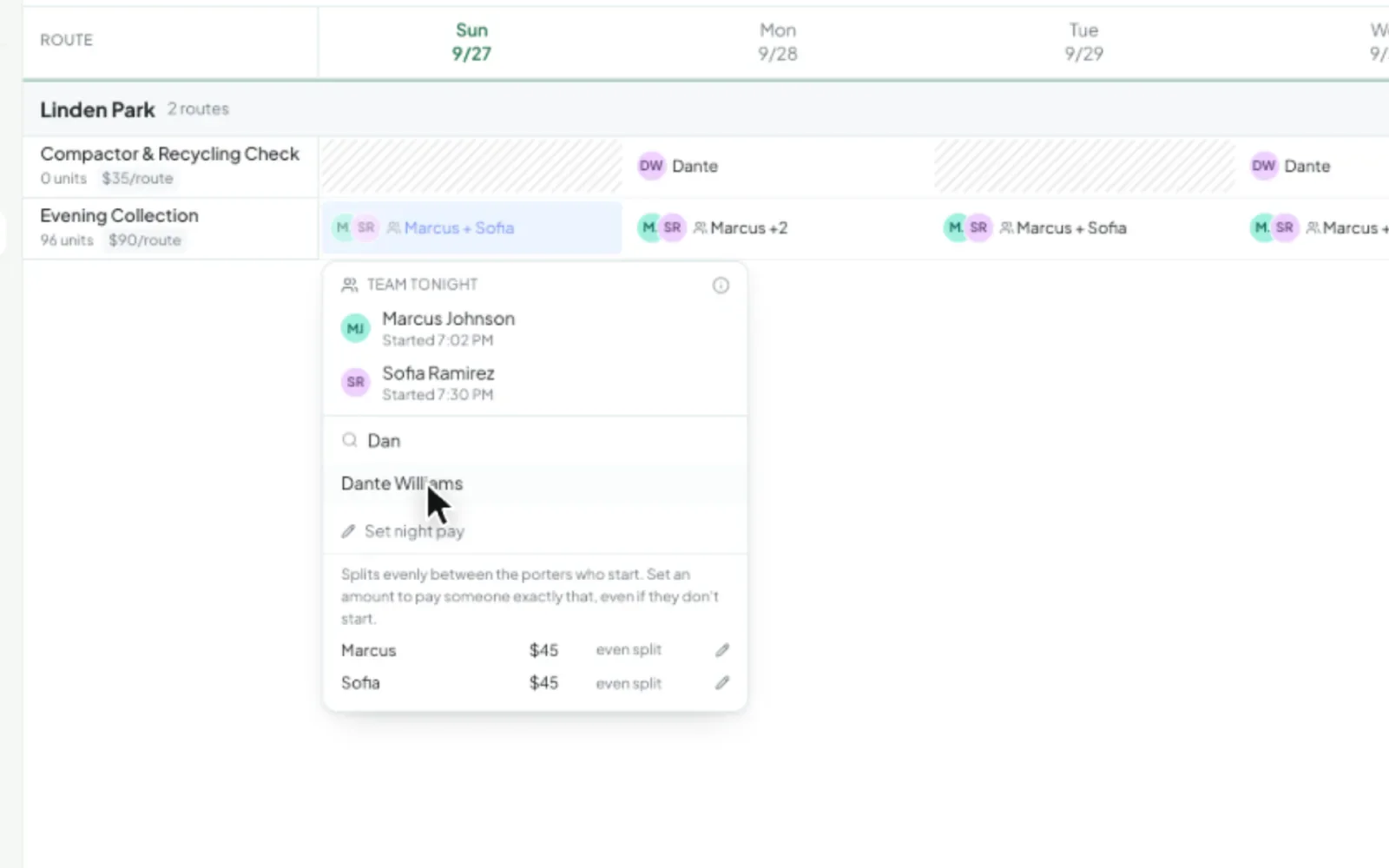
Pay that splits itself
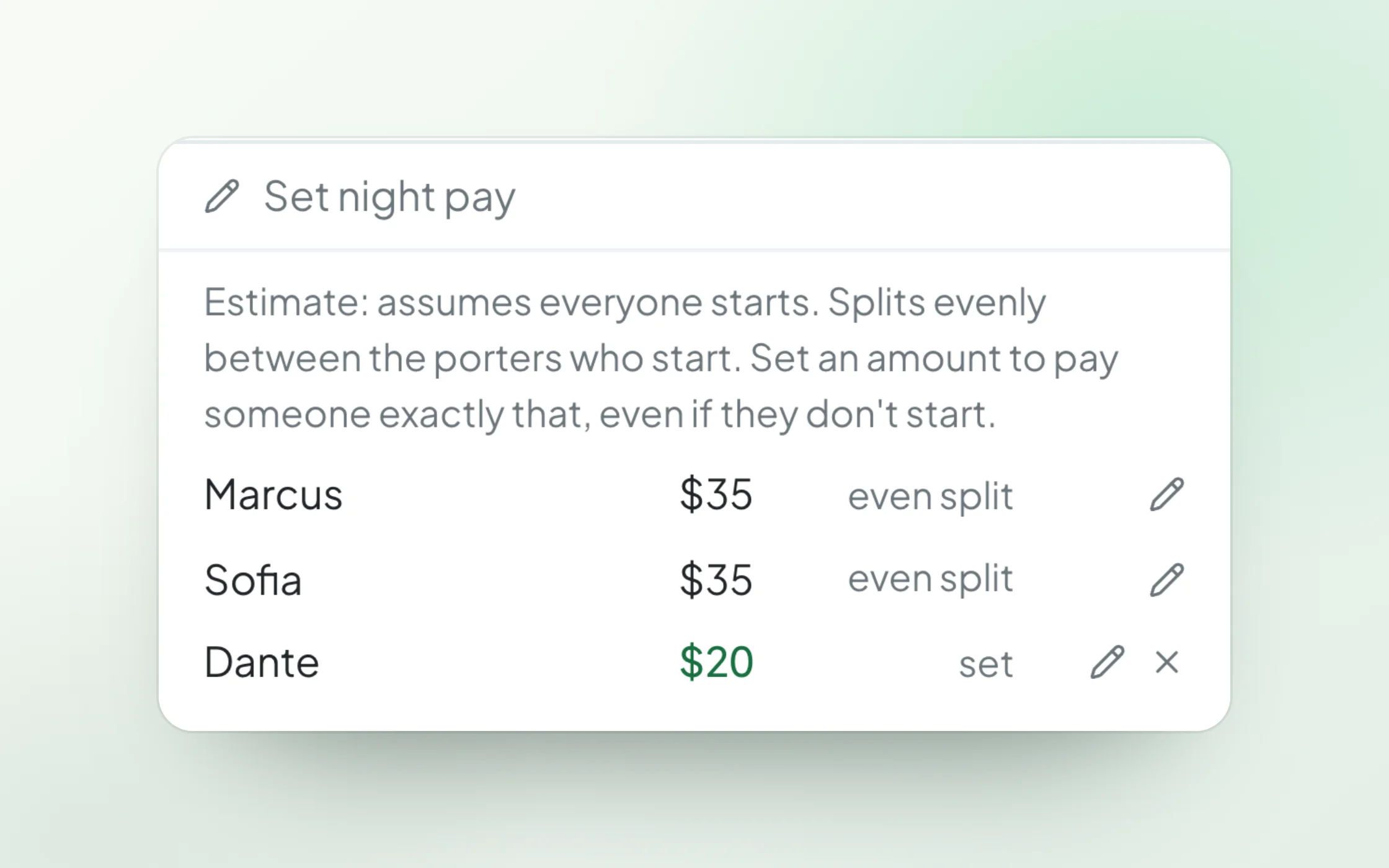
Night pay splits evenly between the porters who start. Set an exact amount for anyone who should be paid differently, like a smaller set amount while a new hire learns the route. Pay periods and the payroll export pick it up with no spreadsheet math.
- Even split between the porters who start
- An exact amount for anyone, when you need it
- Team nights flow into pay periods and the Excel export
- A paid cancelled night splits across the scheduled crew
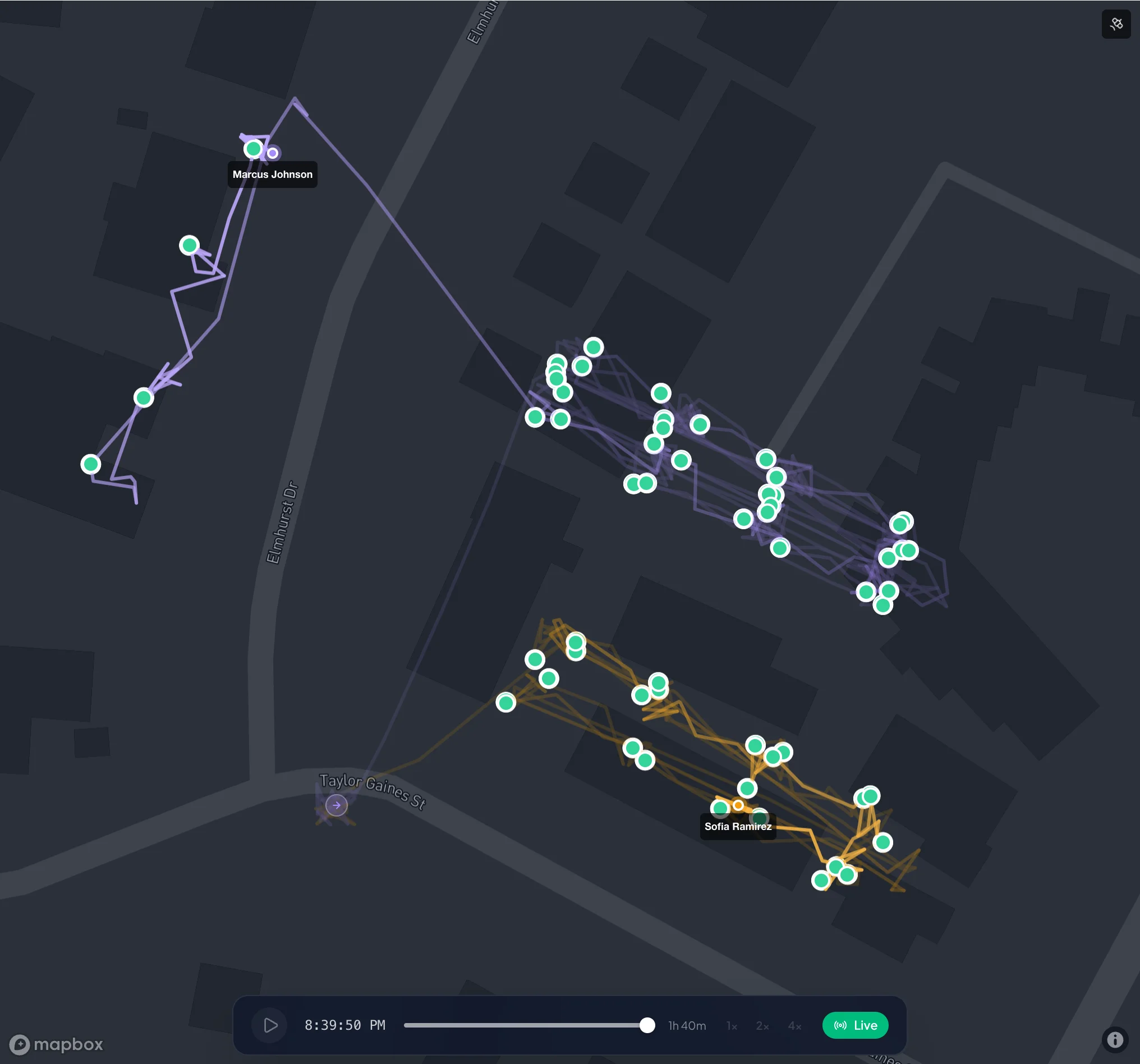
See the whole crew, credit every door
The Live Tracker draws each porter’s trail in its own color, and supervisors can follow the whole crew from their phone. Every door is credited to the porter who logged it, all the way to the property manager’s morning report.
- Each porter’s trail in its own color
- Every record credited to the porter who logged it
- Review shows who logged each door
- The morning report lists everyone on the team
Everyone finishes their own part
Each porter taps I’m done when their part is finished. The route completes on its own once the required work is in and nobody is still working, and the office can complete it for everyone from the Live Tracker.
- Each porter taps I’m done for their part
- The route completes when the last porter finishes
- Complete for everyone from the office
When a route needs more hands
One porter per route is still the simplest setup for most properties. Team routes are there for the nights and crews that need more.
Partner Crews
Two porters who divide the work as they go share one route, one list, and one morning report.
Busy Nights
Add a helper for move-in weekends or holiday nights without rebuilding the route.
Training
Pair a new hire with an experienced porter on a real route. Their work is credited to them, and you set what they’re paid while they learn.
The Same Crew Every Night
Set default porters on the route and every night is scheduled with the whole team.
Alerts That Understand Crews
Rushed-route checks use the crew’s combined time, and skipped-area checks look at the whole crew together.
A Record That Stays Clean
One violation per door, one report per property, and every record credited to the porter who logged it.
Team route questions
Yes, in real time. Every porter on the route has the same list open on their own phone. When anyone logs a door or a service point, it’s checked off on every teammate’s phone within seconds, with the name of who did it, so the crew can split up the work as they go and nobody walks to a door that’s already done.
Up to 10. Set default porters on the route so every night is scheduled with the same crew, or add a helper for a single night.
Yes. Owners, admins, and supervisors can add a helper from the Schedule board or the Live Tracker at any point in the night. The helper gets a notification and the route appears in their app right away.
Night pay splits evenly between the porters who start. Set an exact amount for anyone who should be paid differently, and that porter is paid exactly that. Team nights flow into pay periods and the payroll export like any other night.
The porter who logged it. Service records, violations, and the review queue all show who did each door, and the property’s morning report lists everyone on the team.
Yes. A team night is judged against the crew’s combined time, so a crew isn’t flagged just for finishing sooner together, and a route that really was rushed still is. Checks for skipped parts of the route look at the whole crew: an area counts as reached if anyone on the team reached it.
When the split is the same every night, like one porter per group of buildings, two routes keep scheduling, reports, and pay simplest. Team routes are for crews that share the work as they go, busy nights, and training.
See a team night on your own routes
Bring a property where your porters already work together. We’ll show you the crew, the shared list, and the split pay in the product.
Or start your free trial now. Your first month is free, and no card is required.